Can You Play Games Through Software Previe on Elgato H60
- July 18, 2026
- 0
Streamers and gamers who set up an Elgato HD60 capture card often ask the same question the first time they open the app: can you actually play through

Streamers and gamers who set up an Elgato HD60 capture card often ask the same question the first time they open the app: can you actually play through
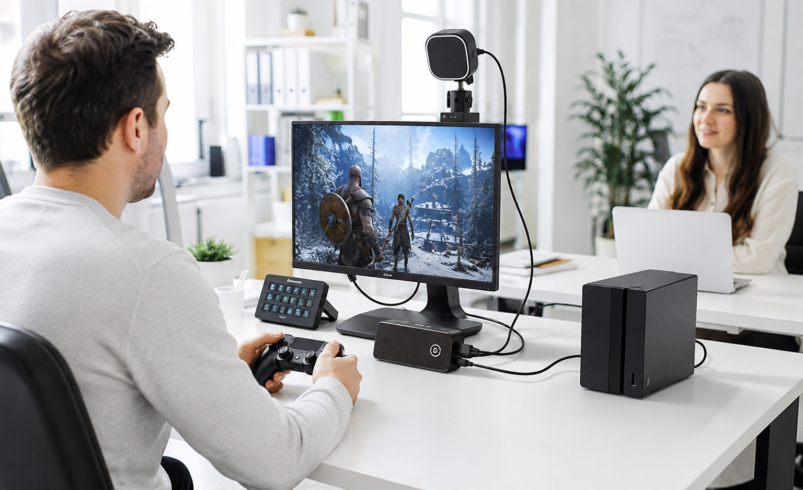
Streamers and gamers who set up an Elgato HD60 capture card often ask the same question the first time they open the app: can you actually play through that preview window, or is it just for monitoring? It is a fair question, because the answer depends on which HD60 model you own.
On the original Elgato HD60 and HD60 S, you cannot comfortably play games through the software preview because of a noticeable delay caused by video compression. On newer Elgato capture cards with Instant Gameview, such as the HD60 X and 4K S, latency is low enough that playing directly through the software preview works well.
You can play through the software preview on newer Elgato capture cards using Instant Gameview technology, where delay can drop to around 30 milliseconds. On the original HD60 and HD60 S, the software preview lags by nearly a second, so HDMI passthrough to a TV or monitor is the better option for live play.
The original Elgato HD60 and HD60 S use a hardware H.264 compression chip to process video before it reaches your computer screen. This compression step introduces a delay of close to one second between what happens on screen and what you see in the Game Capture software window.
Elgato’s own support documentation confirms this directly: the image in the Elgato Game Capture HD software is delayed from live because of the compression chip inside the HD60 hardware. That is why Elgato designed these devices with an HDMI passthrough output, so gameplay can be sent to a TV or monitor in real time while the software handles recording in the background.
Elgato later introduced Instant Gameview, a low-latency technology built into newer capture cards including the HD60 X, 4K X, and 4K S. Instead of forcing users to rely only on passthrough, these devices send video to the software with latency low enough for direct play. Elgato states that with capable setups, latency on the 4K S can be as low as 30 milliseconds, allowing users to play directly through the app’s preview window.
This is a meaningful shift for single-PC streamers, Steam Deck users, and anyone without a second monitor for passthrough.
A streamer using an HD60 X with a single gaming laptop can plug in a console, open the capture software, and play directly through the preview without a second display. A content creator using the older HD60 S, however, typically connects an HDMI monitor for live play and uses the software purely for recording, since attempting to play through the delayed preview would make timing-sensitive games frustrating.
Capture card manufacturers have shifted focus toward reducing glass-to-glass latency rather than simply improving resolution. Elgato’s product comparisons show that Instant Gameview is now standard across its current external and internal capture lineup, reflecting demand from creators who stream from a single PC or Mac setup. Independent reviewers, including outlets that test capture hardware such as Gadget Voize, have highlighted low input lag as one of the most requested features among streamers moving away from dual-PC setups.
So, can you play games through software preview on Elgato HD60? It depends entirely on the model. Older HD60 hardware relies on passthrough for real-time play, while newer Instant Gameview capture cards make software-based play genuinely usable. Before setting up your stream, check your specific model’s latency specifications so you choose the right playing method from the start.
1.Does the Elgato HD60 have a delay in the software preview?
Yes, the original HD60 and HD60 S have close to one second of delay due to hardware compression.
2.Can I play games directly through Elgato Instant Gameview?
Yes, Instant Gameview reduces latency enough for direct play on supported newer capture cards.
3.Should I use HDMI passthrough with an older HD60?
Yes, passthrough gives real-time video without the delay found in the software preview.
4.Which Elgato capture cards support low-latency software preview?
The HD60 X, 4K X, and 4K S all use Instant Gameview for low-latency play.
5.Is the software preview delay a fault or a design limitation?
It is a design limitation caused by the compression method, not a hardware fault.