7 Ways an AI chatbot for website Improves User Experience
September 19, 2026
0
Introduction An AI chatbot for websites helps visitors find information, get support and complete tasks through a natural conversation. Instead of searching through multiple pages or waiting for
Introduction
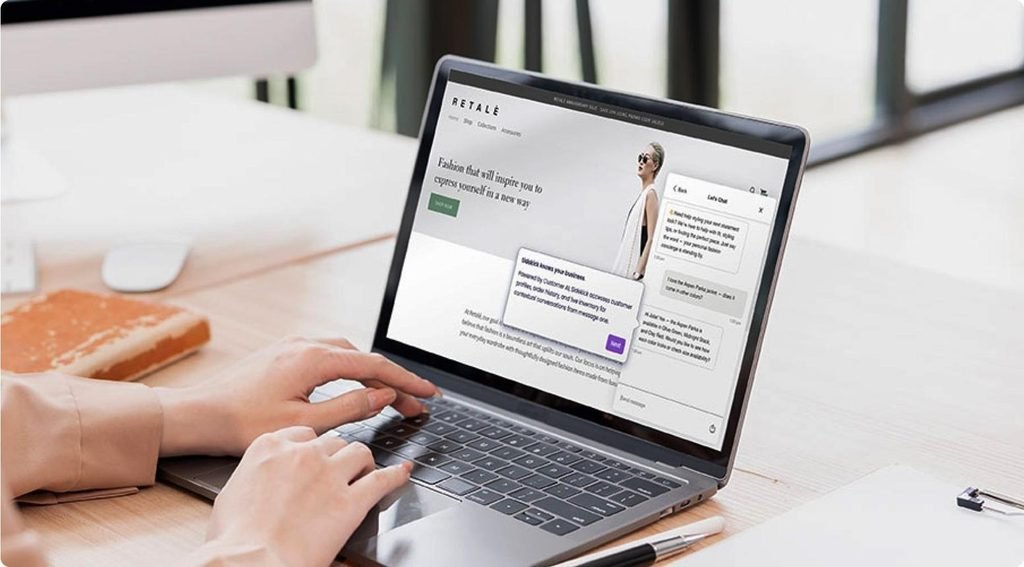
An AI chatbot for websites helps visitors find information, get support and complete tasks through a natural conversation. Instead of searching through multiple pages or waiting for an email reply, users can ask questions and receive relevant guidance.
For businesses, a well-designed chatbot can make the website easier to navigate, improve customer support and help visitors take the next step. However, its value depends on answer quality, accessibility and how easily people can reach a human when needed.
Here are seven practical ways an AI chatbot can improve website user experience.
1. Provides instant answers to common questions
Visitors often want quick answers about pricing, delivery, services, opening hours or return policies. An AI chatbot can answer common questions at any time, provided the relevant information is available in its knowledge base.
This reduces the need to search through multiple pages or wait for a support agent.
Example: A visitor asks, “Do you offer SEO services for small businesses?” The chatbot explains the available services and links to the relevant page.
2. Makes website navigation easier
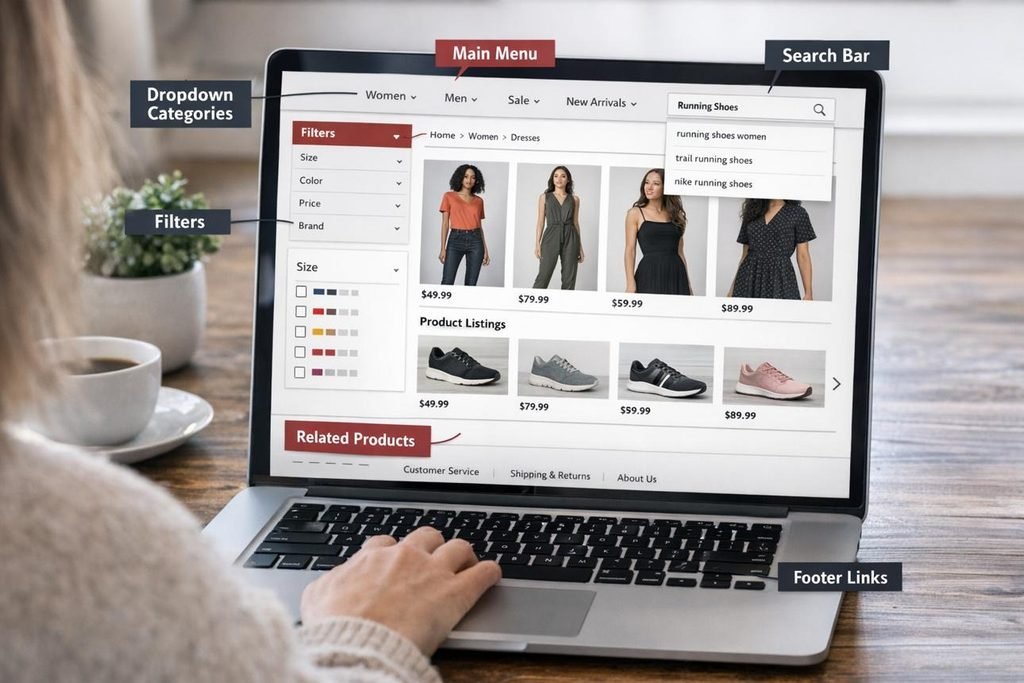
A chatbot can act as a conversational guide, helping visitors find the right page, product or service without navigating complicated menus.
It can suggest relevant links based on what someone is trying to achieve.
For example, a visitor looking for technical SEO support could be directed to a technical SEO service page, related case studies or a consultation form.
UX benefit: Less time searching and a clearer path to relevant information.
3. Offers more personalised assistance
AI chatbots can tailor responses to a visitor’s stated needs, preferences and conversation context.
For example, an online shop visitor looking for running shoes could receive recommendations based on their preferred use, size and budget, if the chatbot has access to reliable product information.
Personalisation should be helpful rather than intrusive. Ask only for information that is genuinely needed, and explain why it is being requested.
4. Improves customer support outside business hours
Website visitors do not always arrive during office hours. An AI chatbot can provide basic support around the clock, including evenings, weekends and public holidays.
It can answer routine questions, explain processes and collect enquiries for follow-up.
However, 24/7 availability does not mean every issue can be resolved immediately. Complex complaints, account problems and sensitive requests may still require a human support agent.
5. Helps visitors make informed decisions
Visitors may hesitate when they do not understand a product, service or pricing option. A chatbot can explain features, clarify differences and direct users to relevant details.
For example, a visitor comparing AI SEO tools packages could ask what technical SEO includes and whether a particular service suits their website.
Expert insight: Give visitors useful information before asking them to book a call or share contact details. Helpful guidance supports informed decisions without making the conversation feel like a sales trap.
6. Makes support more accessible
A well-designed chatbot can provide another way to access website information, particularly for people who prefer typing instead of calling or navigating several menus.
To make the experience more inclusive:
Support keyboard navigation and visible focus.
Use readable text, clear labels and sufficient colour contrast.
Make the chat window easy to open, close and dismiss.
Avoid covering important page content.
Ensure the chatbot works on mobile devices and with assistive technology.
A chatbot should complement accessible website design, not replace it.
7. Helps businesses identify website problems
Chatbot conversations can reveal what visitors are struggling to find. Repeated questions may point to unclear service pages, missing pricing information or confusing website navigation.
For example, if many visitors ask whether a business serves their area, adding a clear service-area page may solve the problem for future visitors.
Review chatbot analytics to identify:
Frequently asked questions.
Unanswered or misunderstood queries.
Conversations that end without resolution.
Common requests for human support.
Enquiries that lead to useful next steps.
Use these insights to improve both the chatbot and the website itself.
Quick summary: How AI chatbots improve UX
Benefit
What it helps visitors do
Instant answers
Get information without waiting
Easier navigation
Find relevant pages faster
Personalised guidance
Explore options suited to their needs
24/7 assistance
Get basic help outside business hours
Decision support
Understand products and services
Accessibility
Use an alternative way to find information
Website insights
Help businesses identify information gaps
How to implement an AI chatbot without hurting UX
Adding a chatbot is not automatically an improvement. Poorly designed chatbots can interrupt visitors, give irrelevant answers or make it difficult to reach a person.
The Nielsen Norman Group’s 2026 design guidance highlights clear chatbot capabilities, useful prompt suggestions and awareness of the page a visitor is viewing.
Follow these practical steps:
Start with real visitor needs. Identify the questions customers repeatedly ask before deciding what the chatbot should handle.
Use reliable website content. Keep service details, prices, policies and product information accurate and up to date.
Make it easy to dismiss. Avoid intrusive pop-ups and allow visitors to continue browsing without opening the chat.
Provide a human handover. Let users request a person, and pass the conversation context to the support team.
Protect visitor privacy. Explain what information is collected, why it is needed and how it is handled.
Test before launch. Check common questions, incorrect assumptions, mobile usability, keyboard access and unanswered queries.
Measure actual outcomes. Track resolution rates, customer satisfaction, successful handovers and task completion rather than counting chats alone.
For implementation, consider a chatbot that retrieves answers from approved website content, identifies when it lacks reliable information and offers a useful next step rather than guessing. Source-backed answers and controlled fallbacks are practical features highlighted by website chatbot providers.
What competing content covers, and what your article adds
I reviewed available search results for website chatbot UX content, including UX Design Institute, Nielsen Norman Group, Clutch and chatbot-focused articles. This is a directional content review, not a verified, exhaustive audit of the exact top five organic results in both the UK and USA. Search rankings can differ by location, device and time.
Explain when personalisation is useful and when it becomes intrusive
Chatbot design and conversation flow
Include practical accessibility and mobile usability checks
Support and conversion benefits
Balance benefits with limitations and human escalation
General implementation advice
Connect unanswered questions to improvements in website content
Chatbot features
Explain what businesses should measure after launch
The UX Design Institute and NN/g focus on chatbot design and user expectations, while Clutch discusses common chatbot frustrations and interface problems.
Important distinction: These are content opportunities identified from the available material, not claims that every competitor omitted each topic.
Conclusion
An AI chatbot for website can improve user experience by making information easier to find, providing timely support and guiding visitors towards relevant actions.
However, the real value comes from solving genuine visitor problems, not simply adding an AI feature. Keep answers accurate, respect privacy, make the interface accessible and provide a clear route to human support.
For Ai Tech Corner, the key takeaway is simple: build a chatbot around what visitors actually need, then use real conversation data to make the entire website more helpful.
Frequently asked questions
What is an AI chatbot for website?
An AI chatbot for website is a conversational tool that allows visitors to ask questions and receive automated responses. It can help users find information, navigate pages, explore services and access customer support.
How does an AI chatbot for website improve user experience?
An AI chatbot for website can improve user experience by providing quick answers, simplifying navigation, offering relevant guidance and helping visitors access support outside business hours.
Can an AI website chatbot replace human customer support?
No. It can handle suitable routine questions, but complex complaints, sensitive issues and requests requiring human judgement may need a support agent. A clear handover option is important.
Does adding an AI chatbot automatically improve website SEO?
No. A chatbot does not automatically improve rankings. Its value depends on whether it helps visitors and supports a useful website experience. Important information should remain accessible on crawlable website pages, rather than being available only through chat.
How can I measure whether my website chatbot is successful?
Track successful task completion, answer accuracy, customer satisfaction, unresolved questions, human handovers and relevant enquiries. Compare these measures before and after launch, while accounting for other website changes.