AI Email Automation for Small Business: Tools, Setups and Real Costs in 2026
October 28, 2026
0
AI Email Automation for Small Business: Tools, Setups and Real Costs in 2026 AI email automation for small business means letting software handle the repetitive parts of email,
AI Email Automation for Small Business: Tools, Setups and Real Costs in 2026
AI email automation for small business means letting software handle the repetitive parts of email, while you stay in charge of what customers actually receive. It covers two jobs that are often confused. The first is marketing email: welcome sequences, newsletters, abandoned cart reminders and follow-ups that go out on triggers. The second is inbox email: sorting incoming messages, drafting replies and routing enquiries to the right person. This guide covers both, because a small business usually needs both.
The distinction that matters is between plain automation and AI automation. Plain automation follows fixed rules: if a new subscriber joins, send email one, wait two days, send email two. AI automation adds judgement to those rules. It drafts the message in your tone, personalises it from what it knows about the reader, picks a send time for each person, and flags the replies that need a human. The workflow still decides when a message sends. The AI improves what is sent and who it goes to.
What AI Email Automation Actually Does
Most tools now bundle the same core features, even if they describe them differently. AI writing help drafts subject lines and body copy from a short brief. Smart send time picks a delivery window based on when each subscriber has opened before. Segmentation groups contacts by behaviour, such as what they clicked, what they bought, or how long they have been quiet. Predictive features go one step further and estimate who is likely to buy, churn, or need a nudge, then build the audience for you.
The newest shift is assistants moving inside email tools. Constant Contact, for example, launched an app in ChatGPT in June 2026 that lets customers generate campaigns, improve subject lines, track results and schedule sends through conversation, as reported in Constant Contact’s announcement of its ChatGPT app. That matters for small teams because it lowers the skill needed to start, but it does not remove the need to check the draft before it sends.
The Three Starter Workflows Worth Building First
Do not start with ten workflows. Start with three that protect revenue and save time every week. Build them in this order, test each one, and only then add more.
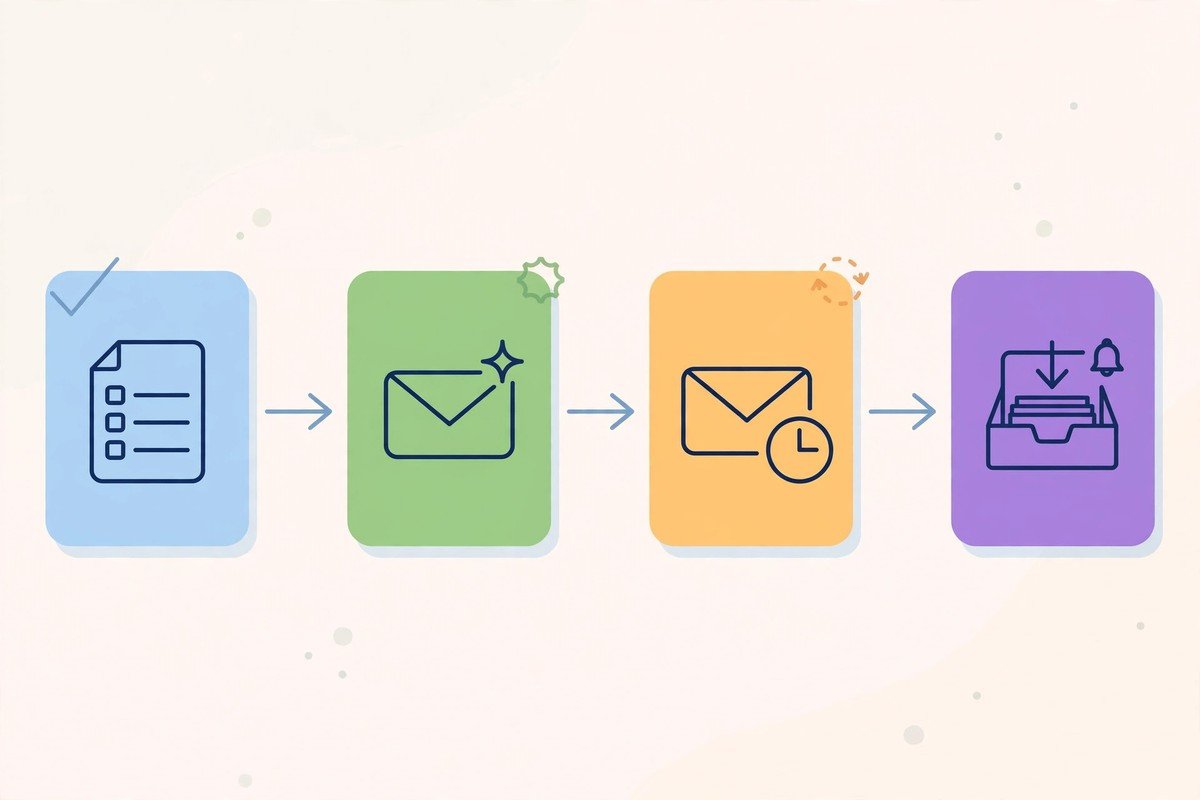
1. The welcome sequence
A new subscriber gets a short series over the first two weeks: an immediate welcome that confirms what they signed up for, a second email a few days later that delivers the promised resource or explains what you do best, and a third that invites a reply or a booking. Keep each email to one idea and one call to action. This is the sequence that turns a cold signup into a warm lead, and it is the one most small businesses skip.
2. The follow-up and abandoned enquiry flow
When someone asks a question, downloads a guide, or leaves a cart, the follow-up should happen without anyone remembering to send it. A same day acknowledgement, a helpful second message a day or two later, and a final check-in a week later cover most cases. For lead follow-up in general, our guide to automating lead follow-up with AI sets out the audit, rules and supervision steps that apply here too. Stop the sequence the moment the person replies, books, or buys, or you will look automated in the worst way.
3. The inbox triage flow
This is the workflow competitors mostly ignore. Incoming email is labelled as lead, support request, or noise, a draft reply is prepared from your own FAQs and past replies, and urgent messages are flagged for a human. You approve the draft before it sends. For a business that gets enquiries in a shared inbox, this saves more hours than any newsletter, because it stops leads sitting unread. It also pairs naturally with the AI agent examples for small business that sort inboxes and draft replies for approval.
Tools Compared: What Fits a Small Business
Tool choice depends less on features and more on how you sell and how big your list is. Newsletter led businesses suit tools built around publishing and growth. Shops suit tools built around purchase behaviour and product recommendations. Service businesses suit tools with a CRM attached, so email history sits next to deal history.
MailerLite and Brevo suit tight budgets, with usable free tiers and low entry prices. Mailchimp suits beginners who want familiar reporting and are ready to pay for its Standard tier to unlock AI features. Kit suits creators selling courses or digital products. Klaviyo suits online stores, where its predictive segmentation earns its higher price. HubSpot suits teams that want CRM and email in one place rather than juggling three tools. Our AI marketing tools for small business roundup compares these in more detail, including free plan limits as of October 2026.
Route
Best for
Typical starting cost
Watch out for
Free tier tool
Testing one workflow
Free to start
Small contact or send limits, AI features often locked
Budget email tool
Newsletters and simple sequences
Low monthly fee, scales with list size
Costs climb as the list grows
CRM plus email
Service businesses and lead follow-up
Free CRM, paid email tiers
Strong AI features often sit on higher tiers
Shop focused tool
Online stores
Free to start, paid from a low monthly fee
Edge disappears if you do not sell products
Connector plus AI assistant
Teams already using ChatGPT or Claude
Connector fee plus existing subscriptions
You bring your own AI, so setup takes longer
Real Costs in 2026: A Cost Ladder, Not a Single Price
There is no single price for AI email automation, because every tool prices on a different axis: contacts stored, emails sent, or tasks used. A tool that looks cheap at 250 contacts can become expensive at 5,000. A tool priced on sends can be cheap for a large list emailed rarely and expensive for a small list emailed often. Before you compare prices, write down your list size, how often you will email, and how many workflows you will run.
As a rough ladder, testing costs nothing on a free tier, with limits that usually cover one or two workflows. A starter setup for a list of a few hundred contacts typically sits in the low tens of pounds or dollars a month. A growing setup, with behavioural automation, predictive sending and CRM integration, typically moves into the mid tens to low hundreds a month as contacts and sends grow. Anything above that only makes sense when you have the volume to measure the return directly. Prices change often, so treat every figure here as a typical range and confirm the current pricing page before you commit. If you want to connect email to the rest of your stack without code, our free no-code automation tools guide covers the connectors that link forms, CRMs and email together.
Setup in One Week: A Practical Order
Day one is list and consent, not software. Gather your contacts in one place, remove duplicates and people who never asked to hear from you, and make sure every signup form states clearly what subscribers will receive. Day two is tool choice: pick one tool that fits how you sell, not the one with the longest feature list. Day three is the welcome sequence, written in your own words first, with AI used to tighten subject lines and vary the copy.
Day four is the follow-up flow, with a clear stop rule for replies and purchases. Day five is inbox triage, with draft only mode switched on so nothing sends without approval. Day six is a test run on yourself and one colleague: subscribe, reply, abandon, and check every message arrives in the right order with the right details. Day seven is measurement: record your starting response time, your list size, and the number of enquiries answered within one working day, so you can prove improvement a month later.
Consent, Accuracy and What Not to Automate
Only automate messages to people who gave permission, or to existing customers about similar services, and always include a clear way to opt out. Keep a record of where each contact came from. If you operate in the UK, check your position under UK GDPR and the Privacy and Electronic Communications Regulations before switching on marketing automation. This guide is general information, not legal advice.
Do not let AI send pricing, guarantees, or claims about results without a human check. Do not feed customer data into a free tool whose terms you have not read, and do not automate the first real conversation with a new lead. An acknowledgement can be automatic. Advice, quotes and the close should stay human. Review your workflows monthly: remove sequences nobody opens, update any offer that expired, and retire any personalisation that uses data you no longer trust.
Conclusion
AI email automation for small business works best when it is boring: one tool, three workflows, and a human approving anything that matters. Start with the welcome sequence, add follow-up that stops when a customer replies, and use inbox triage to stop leads going unread. Pick the tool that fits how you sell, budget for the list size you will have in six months rather than the one you have today, and measure response time before and after. Done that way, email stops being a chore you forget and becomes a system that follows up every time, even on a busy week.
Frequently Asked Questions
What is AI email automation for small business?
It is software that handles repetitive email work for a small team: sending welcome and follow-up sequences on triggers, drafting replies, personalising messages, picking send times, and routing enquiries, with a human approving anything customer facing.
How much does AI email automation cost for a small business?
Testing is usually free on a limited tier. A starter setup for a few hundred contacts typically costs a low monthly fee, rising with list size and sends. There is no single price, so compare tools on your own list size and sending frequency, not on headline prices.
Which AI email tool should a small business start with?
Start with the tool that fits how you sell: a budget email tool for newsletters, a shop focused tool for online stores, and a CRM plus email tool for service businesses that live on follow-up. Test one workflow on a free tier before paying.
Can AI send emails without human review?
It can, but it should not at first. Run in draft or review mode for at least two weeks, log every correction, then widen gradually: unsupervised confirmations first, human review kept for pricing, complaints and anything involving a promise.
Do I need consent before automating marketing emails?
Yes, in general you need permission, and every message must offer a clear opt-out. Keep a record of where each contact came from. If you operate in the UK, check your position under UK GDPR and the Privacy and Electronic Communications Regulations first, as this is general information, not legal advice.