What Is Retail AI Vision Automation and How Does It Work
- August 8, 2026
- 0
Retail AI vision automation is the use of computer vision and AI automation to read live footage from store cameras and turn what they see into an immediate

Retail AI vision automation is the use of computer vision and AI automation to read live footage from store cameras and turn what they see into an immediate
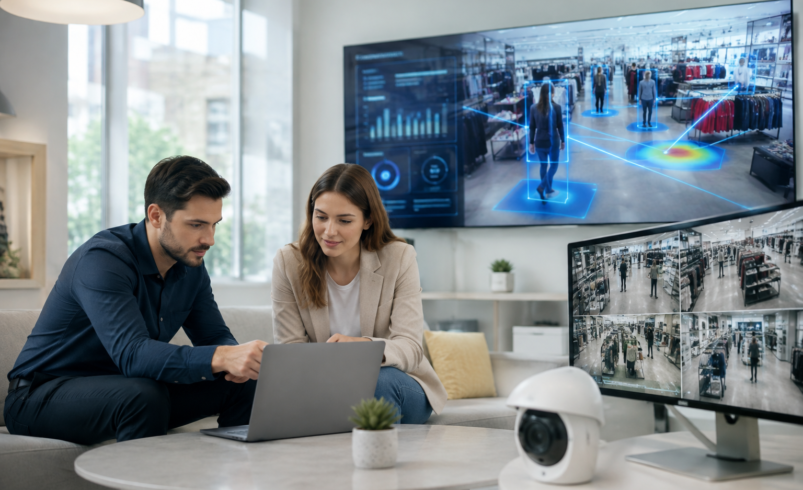
Retail AI vision automation is the use of computer vision and AI automation to read live footage from store cameras and turn what they see into an immediate action, such as a restock alert, a theft flag, or a checkout that charges itself. It works by capturing images, running them through an object-detection model, checking the result against a rule, and pushing that decision straight into a store system, all within seconds.
Walk into most stores and the cameras are already there, quietly recording every aisle, every till, every shelf. Almost none of that footage gets looked at unless something goes wrong. Retail AI vision automation is what happens when those same cameras stop being passive recorders and start doing something useful with what they see.
This guide explains what retail AI vision automation actually is, breaks down how it works step by step, and walks through where it earns its keep in a real store. If you’re weighing this up as part of a wider AI automation plan, you’ll also find a straight look at the limitations, so you know what to expect before you commit budget.
Retail AI vision automation is a system that combines computer vision, machine learning, and workflow automation to monitor a store through its existing cameras, interpret what’s happening in real time, and trigger the right action without a person having to watch the screen.
Think of it as giving your cameras a job beyond recording. Instead of footage that only gets reviewed after something has already gone wrong, the system reads the shelf, the till, or the aisle continuously and reacts the moment it spots something worth acting on.
Three things separate this from a normal CCTV setup:
This is why retail AI vision automation sits at the centre of most modern in-store AI automation strategies. Pricing, forecasting, and staffing tools are only as good as the data feeding them, and a camera is often the cheapest, most honest sensor a retailer already owns.
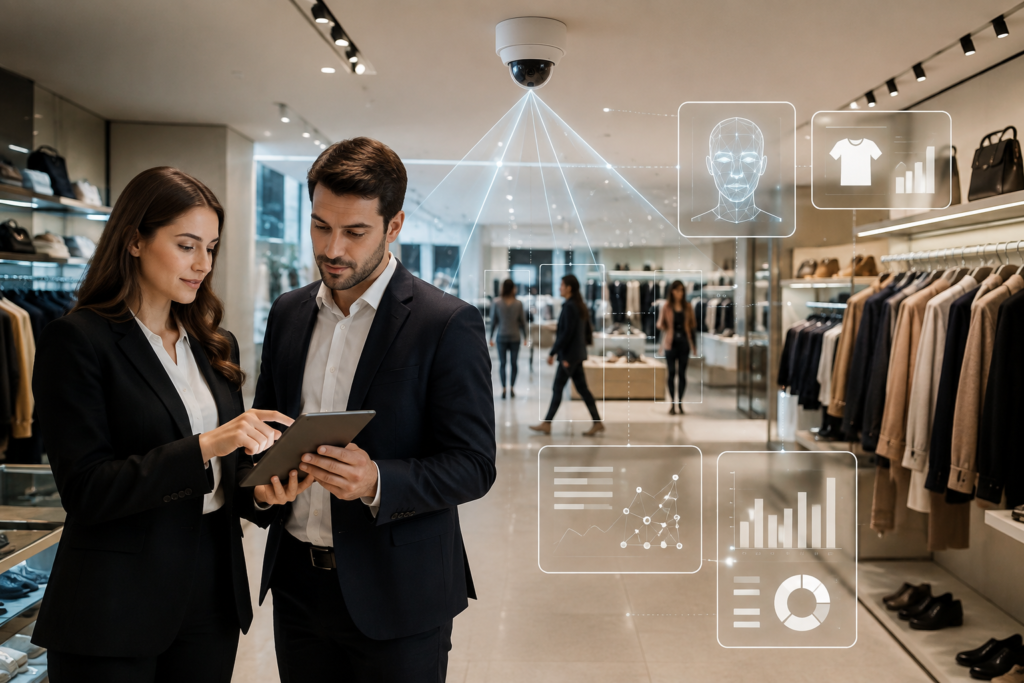
This is the part most guides skim over, so here’s the actual pipeline, from camera to action.
Standard store cameras, or purpose-placed shelf and ceiling cameras, continuously capture footage of aisles, shelves, checkout lanes, and entry points. Most deployments start with cameras already installed, since resolution and coverage from an existing CCTV system are often enough for a first use case.
Raw footage is noisy and heavy. Before analysis, the system crops relevant regions, adjusts for lighting, and compresses frames. This usually happens on edge hardware near the camera itself, rather than sending every frame to the cloud, because it cuts latency and keeps bandwidth costs manageable.
This is the core of the system. A trained computer vision model, commonly built on convolutional neural networks or detection frameworks like YOLO, scans each frame and identifies what’s in it: a product, an empty facing, a person, a shopping cart, a queue. The model has usually been trained on the retailer’s own store layout and product range, which is why store-specific training tends to produce noticeably sharper accuracy than a generic off-the-shelf model.
Detection alone isn’t automation. The system compares what it sees against a defined rule or expected state. Is that shelf slot meant to be full? Does this facing match the planogram? Has this person been standing near high-value stock for an unusual length of time? This is the decision layer that turns a raw detection into a meaningful event.
Once an event is confirmed, the system triggers an action automatically. This might be a task pushed to a staff handheld, an alert to a loss prevention team, a stock update sent to the inventory platform, or a transaction charged at checkout. The value of the whole pipeline depends heavily on this step. A detection that only produces a dashboard entry nobody reads delivers a fraction of the value of one that writes directly into inventory, POS, or workforce systems.
Every confirmed or corrected detection feeds back into the model. Over weeks and months, accuracy improves, false positives drop, and the system starts recognising edge cases specific to that store. Retail AI vision automation is not a set-and-forget deployment; it needs periodic retraining as product ranges and layouts change.
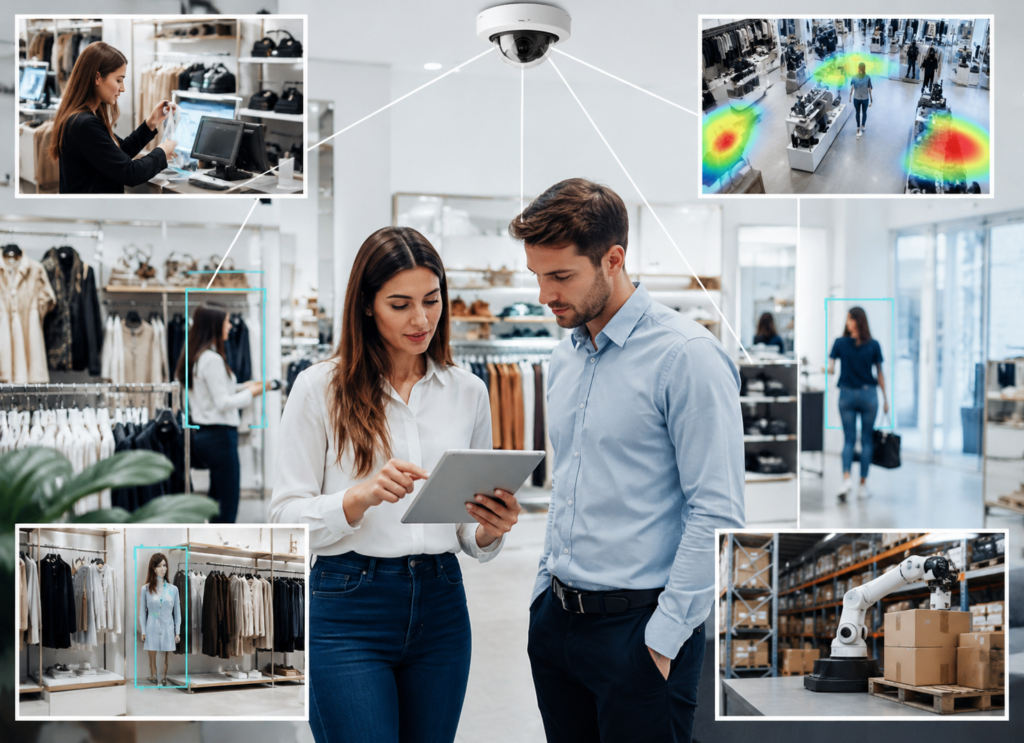
Most retailers don’t deploy every use case at once. They start with whichever problem costs them the most money and expand from there.
Shelf monitoring and on-shelf availability. Cameras detect empty facings the moment a product runs out, so a restock task reaches staff in minutes instead of at the next scheduled walk.
Real-time inventory tracking. Continuous image-based counting replaces slow manual cycle counts, catching the drift between what the system says is in stock and what’s actually on the floor.
Loss prevention. Behavioural detection flags concealment, unusual dwell time near high-value stock, or scan avoidance at self-checkout, giving staff time to intervene before an item leaves the store.
Frictionless and self-checkout verification. Vision confirms that the item scanned matches the item bagged, cutting both accidental and deliberate mismatches at the lane.
Customer behaviour analytics. Anonymised movement data shows dwell time, traffic flow, and which displays actually stop shoppers, giving physical stores the kind of insight ecommerce sites have always had.
Planogram and promotion compliance. The same camera that checks stock levels can confirm a display is set up correctly and a promotional sign is in place, without a regional manager driving store to store.
Queue and staffing signals. Vision monitors till-line length and flags when it’s time to open another lane, so wait times don’t quietly cost you a sale at the front of the store.
| Factor | Manual Audits | RFID / Barcode Systems | Retail AI Vision Automation |
| Detection speed | Hours to days | Near real-time, tag-dependent | Seconds, continuous |
| Setup cost | Low | Moderate to high (tagging every item) | Often uses existing cameras |
| Coverage | Limited to when staff walk the floor | Limited to tagged stock | Whole store, continuously |
| Behavioural insight | None | None | Yes (movement, dwell, queues) |
| Ongoing labour need | High | Moderate | Low, shifts to exceptions only |
| Best fit | Small, low-traffic stores | High-value or easily-tagged stock | Shelf, checkout, and behaviour together |
RFID still has a place, particularly for high-value or easily tagged items. But it can’t see behaviour, layout friction, or a facing that’s technically “in stock” in the back room but empty on the shelf. Vision automation and RFID are often complementary rather than competing.
No system is perfect, and it’s worth being upfront about the trade-offs.
Accuracy depends on training data. A model trained on generic retail images performs noticeably worse than one trained on your specific store’s layout and products. Budget time for that calibration.
Integration is the hard part, not the model. Getting a detection to reliably write into your inventory or POS system is usually more work than getting the camera to see the gap in the first place.
Privacy needs to be built in, not bolted on. Cameras record people. Favour anonymised Training Ai Models movement data where the use case allows, follow regional privacy rules, and get legal sign-off before go-live, particularly if the system touches payment or personal data.
It rarely pays to start big. A chain-wide rollout before a single store has proven its return is a common way these projects stall. One well-measured use case, proven in one location, is a safer starting point.
Retail AI vision automation is one piece of a bigger shift toward AI automation across retail operations, sitting alongside demand forecasting, dynamic pricing, and workforce scheduling tools. The reason it tends to come first is practical: the cameras already exist, the payback is measurable, and the data it produces makes every other AI automation system in the store more accurate, because they’re finally working from what’s actually happening on the floor instead of last night’s stock count.
Retail AI vision automation isn’t a futuristic add-on. It’s a practical way to turn cameras retailers already own into a system that catches empty shelves, flags theft early, and speeds up checkout, all without waiting for a person to notice. The technology works by capturing footage, detecting what matters, Automation Software checking it against a rule, and triggering a real action, then improving as it learns from your store. Start with one clear use case, measure it properly, and let the results decide what comes next.
1.What is retail AI vision automation in simple terms?
It’s the use of AI-powered cameras to watch a store and automatically act on what they see, such as flagging an empty shelf or a suspicious behaviour, without a person having to monitor the footage.
2.How does retail AI vision automation actually work?
It captures footage, processes it near the camera, runs it through an object-detection model trained on the store’s products, compares the result to an expected state, and triggers an automatic action like a restock alert or inventory update.
3.Do I need new cameras to use retail AI vision automation?
Not always. Many shelf monitoring and behaviour analytics use cases work with existing store cameras. More demanding applications, like fully autonomous checkout, usually need denser, purpose-placed coverage.
4.Is retail AI vision automation only for large retail chains?
No. The technology scales down as well as up, and a single store can often see value faster than a large chain, since there’s less complexity to wire up and measure.
5.How long does it take to see results from retail AI vision automation?
A focused pilot on one use case, such as shelf monitoring or loss prevention, can show measurable signal within weeks. Broader deployments across multiple use cases typically take longer to fully prove out.