What Is the Difference Between Hardware and Software
- July 22, 2026
- 0
The difference between hardware and software comes down to one simple idea: hardware is the physical part of a computer you can touch, while software is the set

The difference between hardware and software comes down to one simple idea: hardware is the physical part of a computer you can touch, while software is the set
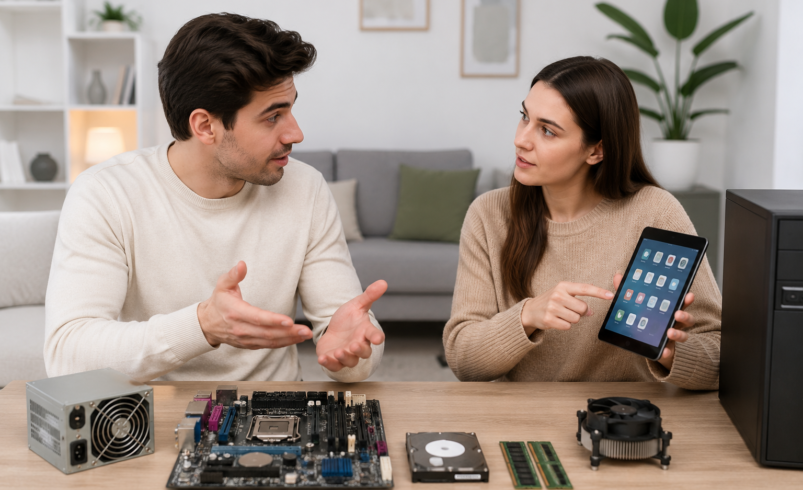
The difference between hardware and software comes down to one simple idea: hardware is the physical part of a computer you can touch, while software is the set of instructions that tells that hardware what to do. Neither one works without the other. A laptop without software is just a metal box, and software without hardware has nowhere to run.
This guide breaks down what each term actually means, how they interact, and why understanding the difference matters whether you’re buying a new device, troubleshooting a problem, or just trying to make sense of tech jargon.
Hardware refers to the physical, tangible components of a computer system, such as the processor, keyboard, monitor, and hard drive.
Software refers to the programs, applications, and operating systems that run on that hardware and give it purpose.
Think of hardware as the body and software as the mind. The body can exist on its own, but it needs a mind to actually do anything useful.
Hardware covers every physical piece of equipment that makes up a computer or device. If you can pick it up, plug it in, or physically damage it, it’s hardware.
Common examples of hardware include:
Hardware is built to last for years, but it eventually wears out or becomes outdated. Unlike software, you can’t simply update hardware with a patch. Upgrading usually means physically replacing a part.
Software is the collection of code, programs, and data that instruct hardware on what tasks to perform. It has no physical form. You can’t hold software in your hand, though you interact with it constantly through screens and apps.
Software generally falls into three categories:
Software can be updated, patched, or completely replaced without touching the physical device. This is why your phone can gain new features through a simple update rather than requiring new parts.
| Aspect | Hardware | Software |
| Form | Physical and tangible | Intangible, code-based |
| Function | Executes instructions | Provides the instructions |
| Lifespan | Degrades physically over time | Can be updated indefinitely |
| Examples | CPU, keyboard, monitor | Operating system, apps, drivers |
| Repair method | Physical replacement or repair | Debugging, patching, reinstalling |
| Cost pattern | One-time purchase, depreciates | Often subscription-based or one-off licence |
| Dependency | Needs software to be useful | Needs hardware to run |
Neither hardware nor software can function in isolation. When you open an app on your phone, the software sends instructions to the processor (hardware), which retrieves data from storage (hardware) and displays results on the screen (hardware). This constant back-and-forth happens thousands of times per second.
A helpful way to picture this relationship: hardware provides the capability, and software provides the direction. A powerful gaming PC with outdated software will still lag. Meanwhile, brilliant software on ancient hardware will run painfully slowly. The two need to be balanced for a system to perform well, which is a lesson anyone who has tried to run modern software on a ten-year-old laptop has learned the hard way.
Consider a smartphone. The touchscreen, battery, and camera lens are hardware. The operating system (iOS or Android) and the camera app you tap to take a photo are software. When you press the shutter button, software processes your command, hardware captures the light through the lens, and software again processes that data into a viewable image. This is hardware and software working in tandem within a fraction of a second.
This is a common question, and the honest answer is that neither is more important on its own. They are interdependent.
That said, priorities shift depending on context:
Understanding the difference between hardware and software makes it much easier to troubleshoot problems, make informed purchasing decisions, and communicate clearly about technology. Hardware is the physical foundation, and software is the intelligence that brings it to life. Together, they form the complete system that powers everything from smartphones to supercomputers.
1. What is the main difference between hardware and software?
Hardware is the physical equipment of a computer, such as the processor and screen. Software is the set of programs and instructions that run on that hardware and control what it does.
2. Can a computer work without software?
No. Hardware without software cannot perform any tasks. Even the basic startup process of a computer relies on firmware, a type of low-level software, to begin operating.
3. Is an operating system hardware or software?
An operating system is software. It manages hardware resources and allows other applications to run, but it has no physical form itself.
4. Which is more expensive, hardware or software?
This varies. Hardware typically involves a larger one-time cost, while software costs can range from free to ongoing subscription fees, depending on the product.
5. Can software damage hardware?
Software itself cannot physically break hardware, but poorly written software can cause overheating through excessive processor use, which may shorten a component’s lifespan over time.