10 AI Tools for Job Seekers That Actually Help in 2026
- November 2, 2026
- 0
10 AI Tools for Job Seekers That Actually Help in 2026 AI tools for job seekers in 2026 are everywhere, and most of them promise the same thing:

10 AI Tools for Job Seekers That Actually Help in 2026 AI tools for job seekers in 2026 are everywhere, and most of them promise the same thing:

AI tools for job seekers in 2026 are everywhere, and most of them promise the same thing: apply to more jobs, faster, with less effort. The honest version is less exciting and far more useful. The right tools do not replace the job search. They remove the repetitive parts of it, tailoring a CV to each role, tracking dozens of applications, rehearsing answers out loud, so you can spend your energy on the parts only a human can do: choosing the right roles, preparing properly, and following up like a person. This guide ranks ten tools independently, with honest downsides, no vendor favourite in first place, and a workflow that ties them together.
Two warnings before the list. First, no tool in this guide is free in every dimension, and prices change often, so check the current plan on each vendor site before you pay for anything. Start free wherever a free tier exists and upgrade only when one tool has clearly earned it. Second, mass applying is not a strategy. The auto-apply debate below explains why spraying hundreds of identical applications usually hurts more than it helps, and which tools are worth using instead.

| Tool | Best for | Watch out for |
|---|---|---|
| Teal | Tracking applications and tailoring CVs | Best features sit behind the paid plan |
| Jobright | Matching roles to your profile | Match quality varies by industry |
| Rezi | CVs built to pass ATS filters | Templates can look generic without editing |
| Jobscan | Checking a CV against a job description | Chasing a perfect match score distorts your CV |
| ChatGPT or Claude | Cover letters, tailoring, interview practice | Output needs editing or it sounds generic |
| Google Interview Warmup | Free interview practice with feedback | Practice questions only, no live coaching |
| Yoodli | Speaking practice and filler word feedback | Free tier limits practice time |
| Networking, referrals and recruiter visibility | Easy Apply tempts you into low effort applications | |
| Huntr | Visual application tracking | Smaller feature set than Teal |
| Simplify | Auto-applying at volume | Volume without tailoring lowers response rates |
Teal is the best starting point for most job seekers because it solves the two problems that actually derail a search: losing track of applications, and sending the same CV to every role. Its tracker records each application, stage and follow-up date in one place, and its CV tools let you tailor a version per role without rebuilding the document each time.
The honest downside is the paywall. The tracker is genuinely useful free, but the strongest tailoring and keyword features require a paid plan. Use the free tracker for a week first. If you are applying to more than ten roles, the paid tier usually earns its keep in saved hours. If you are applying to three, it does not.
Jobright matches roles to a profile you build once, then ranks openings by fit rather than by keyword overlap alone. That matters because keyword search returns everything containing a word, while fit ranking surfaces roles where your experience actually matches the job, including roles with titles you would never have searched for.
The catch is coverage. Matching quality is strongest in tech and business roles and thinner in niche or non-tech sectors, so treat its suggestions as a discovery feed, not a complete market. Cross check against a general job board weekly so a thin category does not quietly narrow your search.
Rezi builds CVs around the formatting rules applicant tracking systems actually parse: single column layouts, standard section headings, and no graphics or tables that confuse the parser. For roles at large employers, where a machine reads your CV before any human does, that discipline is worth more than a beautiful design.
The risk is sameness. Rezi templates, used unedited, produce CVs that read alike. Always rewrite the bullet points in your own words, with your own numbers, after the template has done the structural work. The template gets you past the filter. Your wording gets you the interview.
Jobscan compares your CV against a specific job description and shows which keywords and skills are missing. Used once per application, it catches the obvious gaps: a required tool you forgot to mention, a skill listed on the posting that your CV never names. That single check is the whole value, and it is real.
Do not chase the score. A CV rewritten to hit 100 percent usually reads like a keyword list and fails the human who reads it next. Aim to cover the genuine requirements, ignore the rest, and remember that no ATS publishes its exact scoring. Any tool claiming to reveal it is guessing.

A general chatbot is the most flexible tool on this list, and the one most often misused. Used well, it drafts cover letter first versions from a job description, rewrites a bullet point to lead with a result, and role plays as an interviewer asking follow-up questions. The prompts in the workflow section below show exactly how to ask for each of those.
The misuse is sending its output unedited. Recruiters read dozens of AI drafted letters a week and recognise the phrasing instantly. Treat every output as a first draft, then edit it until it sounds like you, with one specific detail per paragraph that only you could have written. If you want that drafting to stay private, our guide to running AI models locally vs in the cloud explains when a local model keeps your prompts on your own machine.
Google’s Interview Warmup is the best free interview tool available, and it costs nothing to try. It asks real interview questions, transcribes your spoken answers, and highlights patterns such as repeated words, overused phrases and how much you talk about yourself versus the team. That feedback is concrete in a way generic advice never is.
Its limit is scope: it practices answers, it does not coach strategy. Pair it with Google’s interview preparation guide, which frames practice inside a wider search strategy, and use Yoodli below for the delivery side. Two free tools, used together, cover more than most paid interview products.
Yoodli listens to practice answers and reports filler words, pace, eye contact signals on video, and how long you talk before pausing. Most candidates are shocked by their first report: the answer they thought was confident was actually 40 percent filler and one very long sentence. That single insight improves more interviews than any list of sample answers.
The free tier limits practice time, so use it deliberately. Record three answers to the questions you will definitely be asked, tell me about yourself, why this role, and a time you solved a problem, fix the worst habit in each, and re-record once. Ten focused minutes beats an hour of unfocused practice.
LinkedIn’s value is not its job board, it is the network around it. A referral from someone inside the company moves your application past the pile in a way no tool can replicate. Use LinkedIn to find the hiring manager or a team member, read what they post about, and send a short, specific message that references their work. One thoughtful message beats fifty connection requests.
Keep your profile itself in shape: a headline that states the role you want, not just your last title, and an About section that names the problems you solve. And resist Easy Apply as a default. It is fine for roles you genuinely want, but applying in one click to everything trains you to skip the tailoring that actually gets replies.
Huntr turns applications into a visual board, with columns for wishlist, applied, interview and offer, plus deadline reminders and a browser extension that saves a posting in one click. If Teal feels heavy, Huntr is the lighter alternative, and the best tracker is the one you actually open every morning.
Its feature set is smaller than Teal’s, with less CV tailoring built in. The practical setup is Huntr for tracking plus Rezi or Teal for tailoring, rather than expecting one tool to do both jobs perfectly.
Simplify automates applications at volume, filling forms and submitting to many roles quickly. For high volume graduate or entry level searches, where roles are similar and the bottleneck really is form filling, that speed is genuinely useful.
Read the auto-apply debate below before turning it on. Volume helps only when the roles are close matches and the applications are still accurate. Used blindly, it produces applications with wrong details, duplicate submissions and a reputation with recruiters who notice.
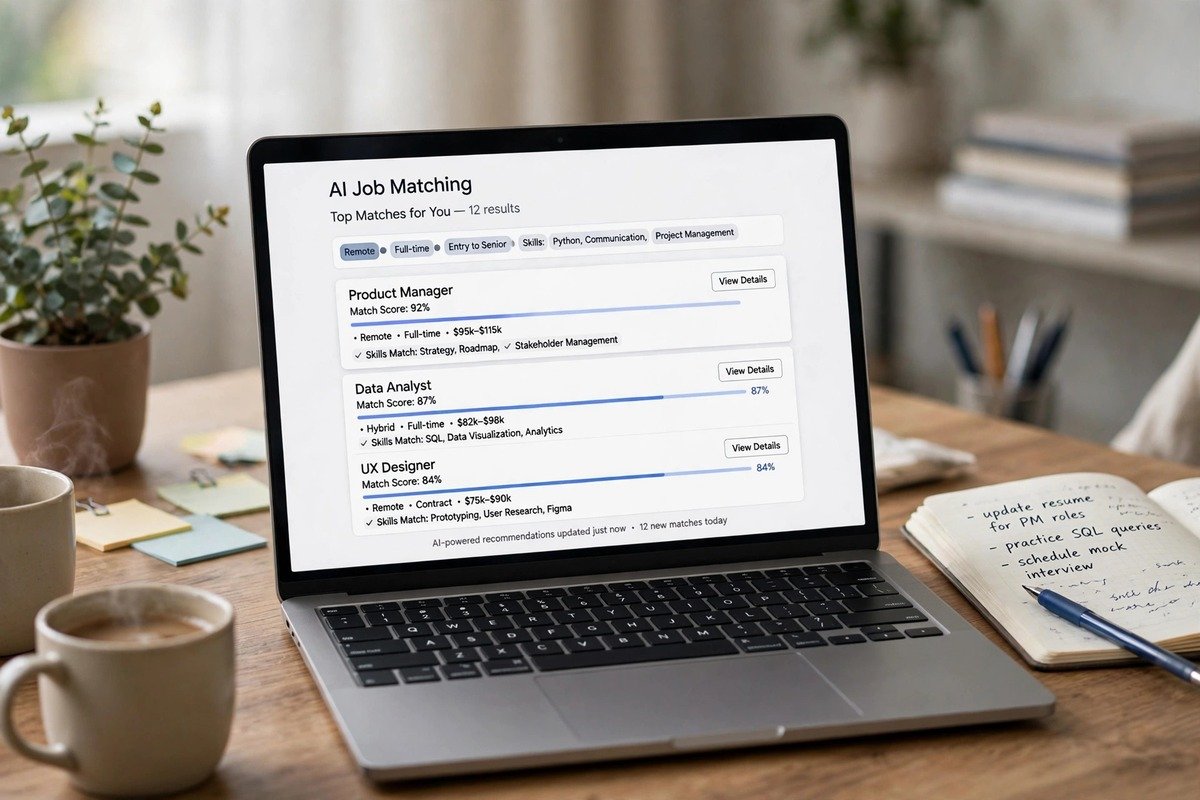
Auto-apply tools split the job search world. Supporters say more applications mean more interviews, and for genuinely similar roles that is partly true. Critics say employers filter low effort applications, and that is also true. Both sides miss the middle: the problem is not volume, it is signal. An application that is tailored, accurate and sent to a role you actually fit carries signal. Fifty identical applications carry noise, and recruiters, who see the same CV template repeatedly, learn to discount it.
The practical rule: use auto-apply only for roles where you meet at least most requirements and the application needs no custom answers. For anything else, apply manually with a tailored CV. And never let an auto-apply tool answer screening questions on your behalf, such as salary expectations or work authorisation. A wrong answer there can disqualify you before a human ever sees your name, and some employers treat automated submissions as a policy violation that can get an account flagged. Check the employer’s terms before automating anything on their own portal.
Use these with ChatGPT, Claude or a local model. Replace the bracketed parts, then edit the output until it sounds like you.
CV tailoring: “Here is my CV: [paste CV]. Here is the job description: [paste description]. Rewrite my three most relevant bullet points so each one leads with a measurable result and uses the employer’s own wording for skills I genuinely have. Do not invent experience I do not have. List any requirement I do not meet.”
Cover letter: “Write a 200 word cover letter for [role] at [company] based on my CV: [paste CV]. Open with one specific thing about the company I admire, not a generic compliment. Keep it to three paragraphs. Flag anything that sounds generic so I can replace it with a personal detail.”
Interview practice: “Act as a hiring manager for [role]. Ask me one behavioural question at a time. After each answer, score it out of 10, name the strongest sentence, and tell me one thing to improve. Do not ask the next question until I answer.”
Tools without a routine become another inbox to ignore. This one takes about five hours a week and covers everything rivals leave vague.
Monday: search and shortlist. Spend one hour finding ten roles, save them in Teal or Huntr, and rank them by fit, not by posting date. Tuesday and Wednesday: tailor and apply to the top five, one tailored CV each, using Jobscan once per role and the cover letter prompt above. Thursday: network. Send three specific LinkedIn messages and follow up on last week’s applications. Friday: practise. Record three answers in Interview Warmup or Yoodli, fix one habit, and review the week’s tracker: which applications moved, which went silent, and what to change next week.
Most AI job search lists assume a tech worker. If you are not one, the same tools still work with two adjustments. First, lean on Jobright and LinkedIn for discovery, because your next role may carry a title you would never search for, and lean on Rezi for structure, because career changers get filtered hardest on format. Second, translate your experience explicitly: a retail supervisor who scheduled rotas and handled complaints has operations and conflict resolution experience, but only if the CV says so in the employer’s language. The tailoring prompt above does that translation, provided you feed it an honest CV.
Students should start with the free stack: Teal’s tracker, Interview Warmup, LinkedIn, and a chatbot for drafts. Career changers should spend the most time on the networking day, because a referral bypasses the keyword filter that punishes non-linear CVs. And if you pick up freelance work while you search, such as writing or SEO for small clients, our guide to AI rank tracking tools shows how to check whether that work is actually ranking, which is useful evidence for your next application as well as for the client.
Salary research deserves its own step, which rivals mostly skip. Before any interview, check the role’s range on Glassdoor and Payscale, note the range for your city rather than the national figure, and decide your walk-away number in advance. Tools that help you find roles rarely help you price yourself, and that gap costs more than any subscription fee. If the search itself needs new hardware, our guide to the best laptops for AI developers in 2026 is written for developers, but its memory and budget advice applies to any heavy local AI use. For the privacy side of practising with AI, our guide to what edge AI is and why it matters explains how on-device AI keeps sensitive practice data off distant servers.

AI tools for job seekers in 2026 work best as a small, deliberate stack: Teal or Huntr to track, Rezi and Jobscan to tailor, ChatGPT or Claude to draft, Interview Warmup and Yoodli to practise, LinkedIn to reach people, and auto-apply only where the fit is already strong. Start free, upgrade one tool at a time when it has proved its worth, and spend the hours you save on the parts no tool can do: choosing the right roles, preparing properly, and following up like a person. The job search is still a human process. The tools just clear the repetitive work out of its way.
They can often spot unedited AI output, because it uses the same smooth phrasing, the same verbs and the same generic claims across many applicants. Detection tools also exist, but the bigger risk is human: a recruiter who has read fifty similar letters discounts all of them. Edit every AI draft until it carries details only you could write, and the question stops mattering.
ATS systems parse and rank CVs, they do not generally run AI detection as a standard step. What they do flag is formatting they cannot read, such as graphics, tables and unusual fonts, and keyword gaps against the job description. A clean, single column CV that genuinely covers the requirements passes the machine. The human reader afterwards is the one who judges whether it sounds real.
Pay for one tool, not five, and only after the free tier has proved useful for at least a week. For most seekers that is either a tracker with tailoring, such as Teal, or an interview tool you actually practise with. Paying for several overlapping subscriptions before you have a routine just adds cost to a search that is already stressful.
Teal’s free tracker, Rezi’s free CV builder, Google Interview Warmup for practice, LinkedIn for networking, and the free tier of ChatGPT or Claude for drafts. That combination covers tracking, tailoring, practice and outreach without spending anything, and it is enough for most searches until volume or a specific feature justifies one paid upgrade.
Only for roles you genuinely fit where the application needs no custom answers, and never to answer screening questions about salary or work authorisation on your behalf. Volume without tailoring lowers response rates and can damage your reputation with recruiters who see the same template repeatedly. For roles you really want, apply manually with a tailored CV.