What Is an NPU in Laptops, and Do You Actually Need One in 2026?
- October 31, 2026
- 0
What Is an NPU in Laptops and Do You Need One in 2026? What is an NPU and do you need one? If you have shopped for a

What Is an NPU in Laptops and Do You Need One in 2026? What is an NPU and do you need one? If you have shopped for a

What is an NPU and do you need one? If you have shopped for a laptop lately, you have probably seen the letters on a spec sheet next to a number like 45 TOPS, with no explanation of what either means. An NPU is a Neural Processing Unit, a small specialist processor built to run AI tasks efficiently on your device. This guide explains what it does, what it does not do, and how to decide whether it should change what you buy.
The short answer is that most people do not need to pay extra for one, but most people buying a new laptop in 2026 will get one anyway. NPUs are becoming standard parts of new processors, so the real question is usually not “should I buy an NPU” but “should I pay more, or give up something else, to get a better one”.

Your laptop already has two main processors. The CPU is the generalist: it runs the operating system and your apps, handling work that must happen in a strict order. The GPU is the brute: thousands of simple cores working in parallel, which makes it great for graphics and for heavy AI work, at the cost of serious power draw and fan noise.
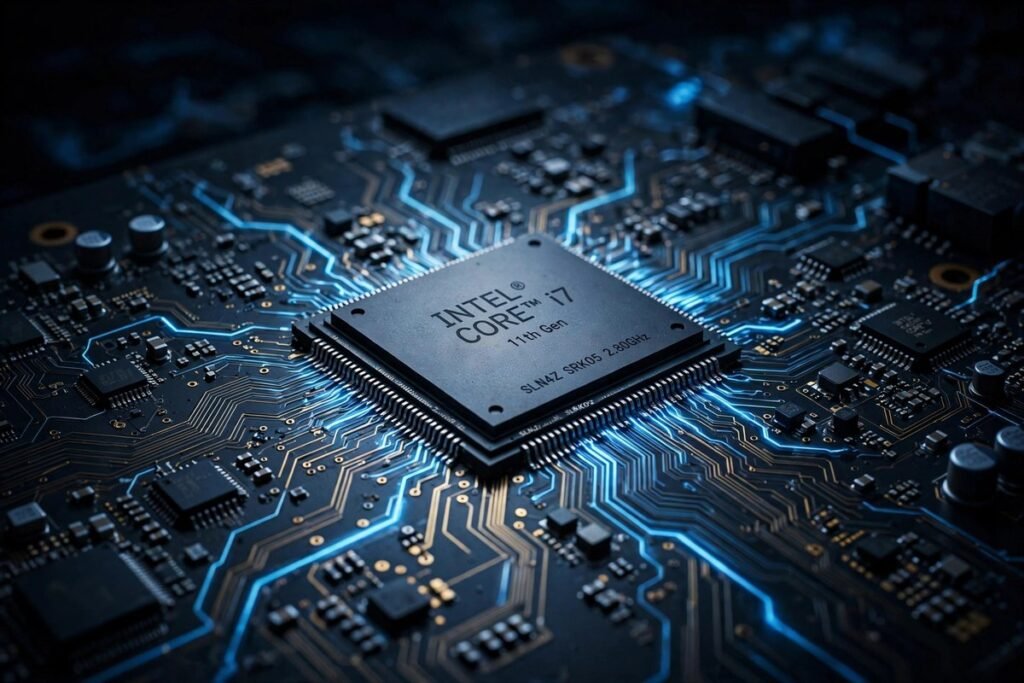
The NPU is a third specialist. It does one narrow kind of maths very efficiently: the repeated matrix multiplication that neural networks are built from. It is not faster than a big GPU at full tilt. Its advantage is power. It can run AI tasks quietly in the background for hours, sipping battery, while a GPU doing the same job would drain the battery and spin up the fans. That is the whole point, and it explains nearly every real benefit below.
| Processor | Job | Strength | Weakness |
|---|---|---|---|
| CPU | Operating system, apps, ordered work | Flexible, handles anything | Power hungry for AI tasks |
| GPU | Graphics, heavy AI, training models | Fastest for large AI jobs | High power draw, heat, fan noise |
| NPU | Always on AI tasks in the background | Very low power, silent, all day | Limited to smaller, optimised models |
An important correction to the marketing: an NPU does not replace the CPU or GPU. It takes over selected, repetitive AI tasks from them. A laptop with a strong NPU and a weak CPU is still a weak laptop, so judge the whole machine, not the badge.
TOPS stands for trillions of operations per second. It is the headline figure quoted for an NPU, and it is best understood as a capacity rating, not a speed you will feel. A higher TOPS figure does not make spreadsheets open faster or Windows feel snappier. It only describes the ceiling for AI workloads, and figures from different makers are not always directly comparable.
The number 40 matters because Microsoft drew a line there. To carry the Copilot+ PC badge and run the on-device features that come with it, a Windows machine needs an NPU rated at 40 TOPS or above, plus minimum memory and storage. TechTarget’s guide to Copilot+ PCs lists the same requirements: a 40 TOPS NPU, at least 16 GB of RAM, at least 256 GB of storage, and Windows 11 version 24H2 or later. Treat 40 as a gate you either clear or do not, not a score to maximise.
There is a newer twist buyers should know. Microsoft has moved toward running Windows AI features on whichever processor fits best, CPU, GPU or NPU, through Windows AI Foundry. The NPU is still the most power efficient route for many tasks, but it is no longer the only route to AI features on Windows, and a Copilot+ badge does not guarantee that every future feature will use the NPU.
Forget the future for a moment. Here is the honest list of what an NPU buys you on a machine you can buy this week.
This is the strongest case. Background blur and replacement look cleaner, automatic framing keeps you centred as you move, eye contact correction makes you appear to look at the camera while you read notes, and voice isolation strips background noise from your audio. All of it runs continuously, on battery, without the fan noise that used to make these features a false economy on a call.
Real time captions on any audio playing on the machine, including translation into English from many languages, running locally. For international meetings, or for anyone who reads faster than they listen, this is quietly excellent, and because it is on device, it works on a plane.
Searching your own files by describing them rather than remembering filenames is genuinely useful when it works, though the gap between the demo and daily reality is still real. Local image generation and editing tools also increasingly offload to the NPU, which keeps a light creative workload cool and quiet. For heavy creative work, a discrete GPU still wins.
Everything above happens on the machine. Nothing is uploaded and nothing is processed on someone else’s server to function. For anyone handling client information, medical records, legal documents or anything under a confidentiality agreement, that is not a minor detail.
This is where buyers waste money, so be blunt about it. An NPU will not make ChatGPT, Claude, Gemini or Microsoft 365 Copilot run faster. Those tools run in the cloud, on the provider’s servers, not on your laptop. For them, a reliable laptop, enough RAM and a stable internet connection are all you need. Our guide to what edge AI is and why it matters draws the same line: on device AI and cloud AI are different things, and only the first benefits from local hardware.
An NPU also will not, on its own, let you train AI models or run large local language models. That work still needs a capable GPU with enough video memory, or a Mac with a large unified memory pool. Our guide to the best laptops for AI developers in 2026 makes the same point: memory is the ceiling for local AI development, and an NPU badge is not a substitute for it. If a listing promises that an NPU laptop is a machine for AI development, check the GPU and memory before believing it.
| You mainly… | Do you need an NPU? | What to prioritise instead |
|---|---|---|
| Browse, email, documents, spreadsheets | No, a nice bonus only | CPU, 16 GB RAM, SSD, screen, battery |
| Hours of video calls a day | Yes, genuinely useful | Copilot+ level NPU, good webcam and mic |
| Handle confidential client data | Yes, for on device privacy | Local AI features, encryption, device controls |
| Study or write, with some AI tools | Not essential, but standard now | RAM, battery life, keyboard, weight |
| Run local AI models or train models | No, not as the buying reason | GPU with enough VRAM, or large unified memory |
| Create video, 3D or heavy images | No, a bonus at most | Discrete GPU, screen accuracy, cooling |
Work backwards from what you do, not forwards from the spec sheet. If none of your daily tasks runs locally on an NPU, then a bigger TOPS number is not worth a worse screen, less memory or a higher price.
Before you buy, check what you already own. On Windows, look at the processor specification on the manufacturer’s page for your exact model, and search it for “NPU” or “AI Boost” or “Ryzen AI”. In Task Manager, newer Windows builds show an NPU graph under Performance when the hardware is present. On a Mac, every machine with an Apple M series chip has a Neural Engine, which is Apple’s name for the same idea, so if your Mac has an M chip, you already have one. The word “AI” in a listing title is not enough: check the processor specification, not the badge.
Use this order when comparing two laptops. First, RAM: 16 GB is the floor for comfortable 2026 use, and Copilot+ machines require it anyway. Second, battery life and weight for the way you actually carry the machine. Third, screen, keyboard and ports, which you touch every day. Fourth, software support: will your apps run natively on this chip, especially on ARM based Windows machines, where some older software still relies on emulation. Fifth, the NPU and its TOPS figure, as a tiebreaker, not a headline. Finally, check the upgrade path: soldered memory cannot be fixed later, so buy the memory you will need in two years, not just today. Also watch for older traps: a laptop with an early, low rated NPU will not run the full Copilot+ feature set, however new it looks, and a TOPS figure quoted as a combined CPU plus GPU plus NPU total is not the same as an NPU only figure.

What is an NPU and do you need one? An NPU is a low power specialist that makes always on AI tasks practical: better video calls, live captions, local search and private on device processing, all without draining the battery. Most people do not need to pay extra for one, and nobody should buy a laptop because of the badge alone. But since most new mid range laptops in 2026 include one anyway, you will likely get one without paying extra, and for heavy video call users and privacy conscious professionals, that quiet specialist is genuinely worth having. Buy the laptop that fits your work, check the memory and screen first, and let the NPU be the bonus that makes the good machine better.
No. For browsing, email, documents and spreadsheets, an NPU changes almost nothing, because those tasks do not use it. It becomes a bonus you may enjoy for video calls, not a requirement, so do not pay a large premium for it on an office machine.
No. ChatGPT, Claude, Gemini and Microsoft 365 Copilot run in the cloud, so your laptop’s NPU does not touch them. A stable connection, enough RAM and a comfortable machine matter far more for those tools than any TOPS figure.
For Copilot+ PC features on Windows, the threshold is 40 TOPS for the NPU, plus 16 GB of RAM and 256 GB of storage. Below that line, a machine can still have a useful NPU, but it will not carry the Copilot+ badge or run the full Copilot+ feature set locally. Above the line, a higher figure is not automatically better for daily use.
It depends on the job. The NPU wins for continuous, low power background tasks like video call effects and captions. The GPU wins, by a wide margin, for heavy work like training models or running large local models, because it has far more raw power and, on Windows, the software support that local AI tools rely on. Our guide to running AI models locally vs in the cloud explains the memory ceilings that decide which route fits your workload.
Very likely, yes. Most new mid range processors in 2026 include an NPU as standard, and Apple’s M series chips have included a Neural Engine for years. That is good news: you get the video call and privacy benefits without a special purchase, and you can spend your budget on RAM, screen and battery instead. For the wider buy or skip question, see our guide to whether an AI PC is worth buying in 2026.