8 AI Automation Tools for Freelancers That Handle the Boring Work
November 13, 2026
1
8 AI Automation Tools for Freelancers That Handle the Boring Work AI automation tools for freelancers are not about replacing your judgement. They are about removing the unpaid
8 AI Automation Tools for Freelancers That Handle the Boring Work
AI automation tools for freelancers are not about replacing your judgement. They are about removing the unpaid admin that eats your billable hours: proposals, invoices, meeting notes, follow-ups and file wrangling. A Freelancer.com survey of 8,100 freelancers found 73% already use generative AI tools, with ChatGPT the primary tool for 64% of respondents. The eight tools below are the ones that earn their place in a solo stack, with real 2026 prices checked against the vendors’ own pricing pages.
Here at aitechcorner.com, we test tools by the work they actually remove, not by their feature lists. Every price below is as of November 2026 and changes often, so verify it on the vendor’s pricing page before you pay. Where a tool has a free tier, we say exactly what the free tier limits, because that is what decides whether it is useful or just a demo.
How We Picked These 8 AI Automation Tools for Freelancers
We scored each tool on four things that matter to a solo operator. First, it must remove a real recurring task, not just add a chatbot to a tool you already own. Second, it must have a free tier or a cheap entry plan, because a freelancer cannot carry five $20 subscriptions before the work arrives. Third, it must connect to the apps freelancers already use, such as Gmail, Slack, Notion and Google Sheets. Fourth, the price must be published and verifiable, with no quote-only plans in this list.
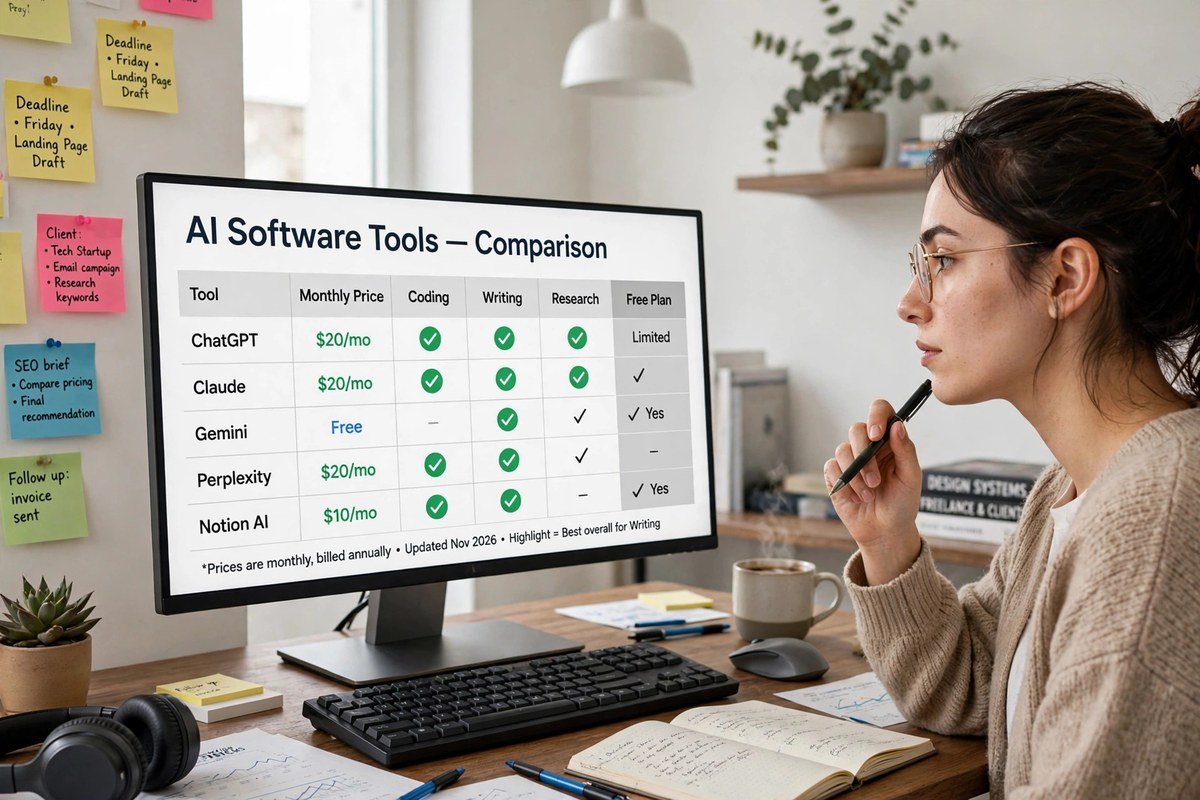
Quick Comparison: The 8 Tools at a Glance
Tool
Starting price
Free tier
Best for
Zapier
$0, then $19.99/mo
100 tasks/mo
Connecting apps fast
Make
$0, then $9/mo
1,000 credits/mo
Visual, branching workflows
n8n
$0 self-hosted, then $20/mo
Community Edition
Technical users, AI agents
ChatGPT Plus
$20/mo
Limited free plan
Drafting and research
Claude Pro
$20/mo
Limited free plan
Long documents and analysis
Otter.ai
$0, then $8.33/mo
300 minutes/mo
Meeting notes and summaries
Notion
$0, then $10/mo
Free plan, AI trial only
Client workspace and tracking
Canva
$0, then $120/year
Limited AI uses
Client visuals and decks
All prices are billed annually where a yearly price is shown. For a head-to-head on the three workflow tools, see this 2026 comparison of Zapier, Make and n8n, which re-checked each vendor’s pricing page in October 2026.
1. Zapier: The Fastest Way to Connect Your Apps
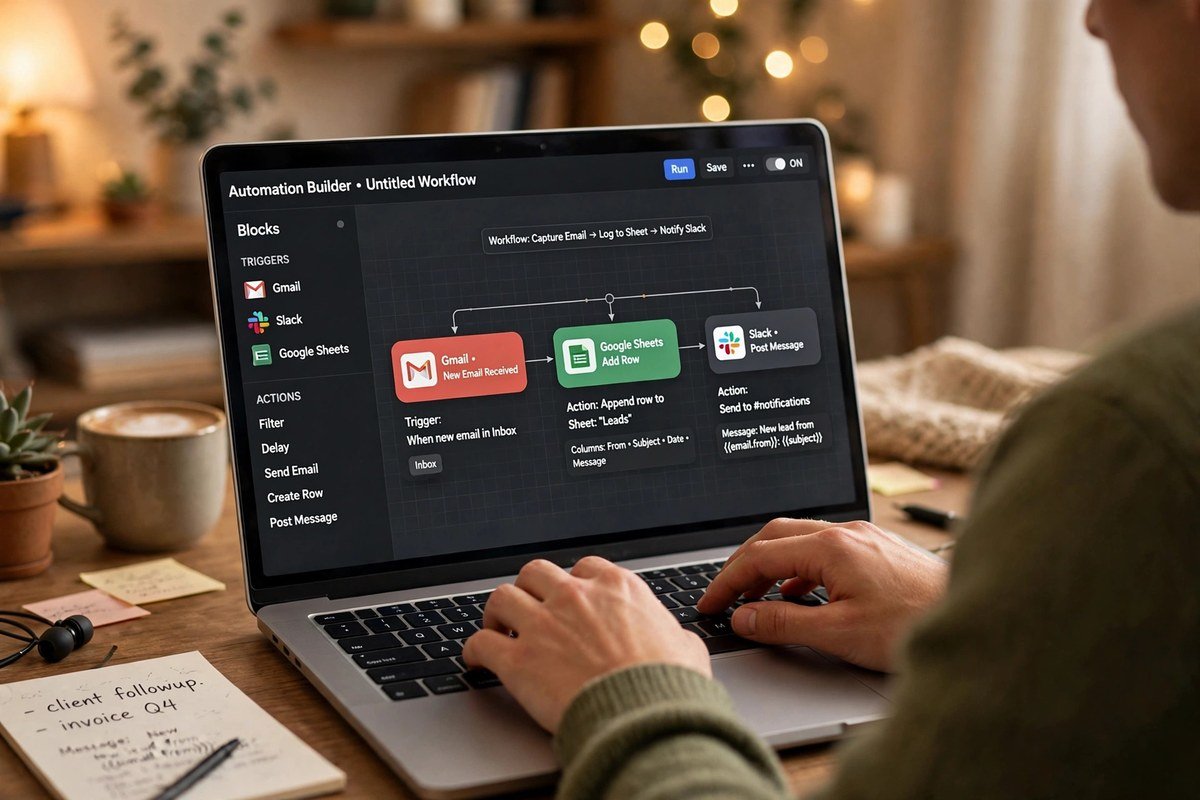
Zapier is the glue layer. It connects more than 7,000 apps, so a new enquiry in Typeform can trigger a Slack message, a row in Google Sheets and a draft reply in Gmail without you touching any of it. You build a Zap by picking a trigger and the steps that follow, and most simple workflows take under ten minutes to set up.
Price: Free plan $0 for 100 tasks a month with two-step Zaps. Professional starts at $19.99 a month billed annually for 750 tasks, multi-step Zaps and premium apps. Billed monthly, Professional is $29.99 a month.
Best for: freelancers who want automation running today with no code and no server.
Watch out: Zapier bills per task, and every action step in a Zap counts as one task. A three-step workflow that calls an AI model, formats the result and posts to Slack uses three tasks per run, so a busy month can burn the free allowance fast. If your workflows have many steps, compare it with Make or n8n before you commit. Our n8n vs Zapier vs Make comparison breaks down the billing difference in detail.
2. Make: Visual Workflows That Cost Less Per Step
Make, formerly Integromat, is a visual workflow builder. You drag modules onto a canvas, connect them, and watch the data flow. It handles branching logic, filters and error handling far more gracefully than Zapier, which makes it the better pick when a workflow has more than one outcome, such as routing hot leads to a call booking and cold leads to a nurture email.
Price: Free plan $0 for 1,000 credits a month and 2 active scenarios, with runs no more often than every 15 minutes. Core is $9 a month billed annually for 10,000 credits, unlimited scenarios and scheduling down to every minute. Billed monthly, Core is $10.59 a month.
Best for: freelancers who want complex, branching automations at the lowest price per action.
Watch out: the free plan’s 15-minute minimum interval means nothing on it responds promptly. A client enquiry that arrives at 10:02 may not be processed until 10:17, so use the free tier to learn the builder and move to Core once a workflow matters.
3. n8n: Self-Hosted Automation for Technical Freelancers
n8n is the tool for freelancers who are comfortable with a server. It bills per workflow execution, one full run however many steps it has, and it includes an AI Agent node and MCP support, so you can build agents that call tools and make decisions instead of only moving data between apps. The self-hosted Community Edition is free with unlimited executions under its Sustainable Use Licence.
Price: Community Edition $0 self-hosted, you pay only for the server, typically $6 to $20 a month for a small VPS. n8n Cloud Starter is $20 a month billed annually for 2,500 executions, with a 14-day free trial and no permanent free cloud plan.
Best for: developers and technical freelancers who want AI agents, full data control and no per-step billing.
Watch out: self-hosting means updates, backups and security are yours. In early 2026 tens of thousands of n8n servers were still exposed online because nobody had patched them, so only self-host if you will actually maintain it.
4. ChatGPT Plus: The Drafting Engine for Proposals and Emails
ChatGPT Plus is the general-purpose model most freelancers reach for first. It drafts proposals from a job post, turns rough notes into a client email, summarises long documents and outlines articles. The Plus plan adds image generation, voice mode, Deep Research and custom GPTs, so you can build a GPT trained on your own proposal templates and rate card.
Price: Plus is $20 a month, billed monthly only. A free plan exists with usage limits.
Best for: fast first drafts of proposals, emails, outlines and research summaries.
Watch out: never let it calculate money for you. A general chat model must not work out VAT, invoice totals or tax, because it can produce confident arithmetic that is wrong. Use it for drafts, then check every number yourself. Our ChatGPT vs Claude vs Gemini comparison shows where each model is strongest for everyday freelance work.
5. Claude Pro: The Analyst for Long Documents and Research
Claude Pro is the deeper of the two $20 chat plans. It is stronger at reading long documents, reasoning through a brief and producing clean, well-structured writing, and the same $20 includes Claude Code, a terminal-based coding agent, plus Projects for organising files and instructions and a Research mode. For a freelancer who reads contracts, analyses client data or writes long-form content, that depth matters more than ChatGPT’s wider range.
Price: Pro is $20 a month, or $17 a month billed annually at $200 up front. Usage runs on a rolling five-hour session limit plus a weekly cap, with no published token count.
Best for: writers, consultants and analysts who work with long documents and need careful reasoning.
Watch out: the session and weekly limits are not published as numbers, so heavy days can hit the cap without warning. If you run long coding-agent sessions, keep an eye on usage rather than assuming the plan is unlimited.
6. Otter.ai: Meeting Notes You Never Have to Type
Otter.ai joins your Zoom, Microsoft Teams or Google Meet calls, writes a live transcript, then turns it into a summary with action items. For a freelancer who lives on discovery calls, that removes the hour after the call that used to go on notes, and it means a decision made on a call is searchable a month later instead of lost.
Price: Basic is free with 300 transcription minutes a month and a 30-minute cap per conversation. Pro is $16.99 a month billed monthly, or $8.33 a month billed annually at $99.96 a year, for 1,200 minutes a month and 90 minutes per meeting.
Best for: interview-based writers, consultants and anyone whose work depends on accurate call notes.
Watch out: tell everyone on the call that it is being recorded and transcribed. The free plan’s 30-minute cap also cuts off longer calls, so a 45-minute discovery call needs Pro or a second tool.
7. Notion: One Workspace for Clients, Proposals and Tracking
Notion is the home base. Keep a client brief, the scope of work, the content calendar and the delivery checklist in one place, then let Notion AI draft from those pages, summarise meeting notes and answer questions across your workspace. Databases make it a lightweight CRM: one row per client, with status, rate, next action and last contact date.
Price: Free plan $0 for one person. Plus is $10 per member a month billed annually, or $12 billed monthly. Full Notion AI lives on Business at $20 per member a month billed annually, or $24 monthly. Free and Plus only get a limited trial of Notion AI, so Plus does not unlock the AI features.
Best for: freelancers who want one flexible workspace for notes, proposals, SOPs and client tracking.
Watch out: the pricing trap is buying Plus expecting AI. Since May 2025, Notion AI is a plan, not an add-on, and the honest floor for Notion with working AI is the $20 Business seat. If you only need the workspace, Plus is fine, but do not pay for it for the AI.
8. Canva: Client-Ready Visuals Without a Designer
Canva’s Magic Studio turns a freelancer who is not a designer into one who can deliver. Magic Write drafts copy, the Background Remover cleans up product shots, Magic Resize rebuilds one design for five formats, and a saved Brand Kit keeps colours, fonts and logo consistent across every client deliverable. Proposal decks, social graphics, one-pagers and lead magnets all come out of the same tool.
Price: Free plan $0 with 5GB of storage and limited Magic Studio AI uses each month. Pro is $120 a year for one person, about $10 a month billed annually, or $15 a month billed monthly, with 1TB of storage, 100 million plus premium assets and 10 times the free AI allowance.
Best for: proposal decks, social content, brand kits and quick client mockups.
Watch out: a Pro account is for one person only, so a collaborator needs their own plan. If you design only once or twice a month, the free plan covers you and Pro is not worth it. If you want video as well, our best AI video generators for small business guide covers the tools that pair well with Canva.
How to Build Your First Freelance Automation Stack
Start with one workflow, not one tool. Pick the task that eats the most time every week. For most freelancers that is either chasing invoices or drafting proposals. Build that one automation on a free tier, run it for two weeks, and count the hours it returns. Only then add a second workflow.
A sensible starter stack costs nothing: Make free for the glue, ChatGPT free for drafts, Otter Basic for meeting notes and Notion free for tracking. When the work grows, the first paid upgrade is usually Zapier Professional or Make Core at $9 to $20 a month, because the glue is what makes the rest of the stack work. Add Claude Pro or ChatGPT Plus next, whichever matches the work you do most, and leave Canva Pro and Otter Pro until a client is paying for the output they produce.
Keep one rule from the start: automation produces drafts, never sends. Review every proposal, invoice and client email before it goes out. A practitioner who runs eight automations on a small server puts it plainly: the automation removes typing, not responsibility, and he has caught hallucinated client names and wrong rates in drafts that would have gone out unchecked.
What Not to Automate
Actual client conversations stay manual. If a client messages you and gets a reply that is clearly AI-shaped, trust drops fast, and it does not come back. Creative strategy decisions stay manual too: which market to target, which rate to charge, which client to turn down. A model will confidently answer all three and be wrong half the time, because the context lives in your head and your bank account, not in the prompt.
Final review stays manual for the same reason. Every draft gets read before it goes out, because errors multiply when nobody checks. And never automate anything that touches client money or confidential client data without reading the vendor’s data policy first. A free tier that trains on your inputs is a bad place for a client’s unreleased product details.
Conclusion
AI automation tools for freelancers pay off when they remove one specific boring job at a time, not when they collect subscriptions. Start free with Make or Zapier for the glue, add ChatGPT or Claude for drafting, and let Otter, Notion and Canva handle the notes, the tracking and the visuals. The whole starter stack can run at $0, and a serious paid stack lands around $20 to $40 a month. Pick the one workflow that eats your week, automate it this weekend, and let the hours it returns decide what you buy next.
Frequently Asked Questions
1. What is the best free AI automation tool for freelancers?
Make has the most generous free tier for real automation: 1,000 credits a month and 2 active scenarios, which is enough to run a client onboarding flow and an invoice reminder. Zapier’s free tier is simpler to set up but only allows 100 tasks a month and two-step Zaps, so it runs out faster. For drafting, both ChatGPT and Claude have usable free plans. Start with Make if you want workflows, and add a chat model second.
2. How much does AI automation cost a freelancer per month?
Nothing to start. Make, Zapier, Notion, Canva and Otter all have free tiers that cover a light workload. A typical paid stack is $20 to $40 a month: Make Core at $9, plus ChatGPT Plus or Claude Pro at $20, for example. The most expensive mistake is paying for five tools at once before any of them is saving you time, so add one paid plan at a time and only when the free tier is the bottleneck.
3. Can AI automation replace a virtual assistant?
No, it replaces tasks, not judgement. Automation is good at drafting, filing, reminding and reformatting. It cannot hold a client conversation, make a pricing decision or notice that a brief does not make sense. A virtual assistant can do all three. The best setup for most freelancers is automation for the repetitive work and a human for the work that needs judgement, even if that human is only hired for a few hours a month.
4. Is it safe to let AI tools access client data?
It depends on the tool and the plan. Read the vendor’s data policy before you connect anything that holds client information, and prefer paid plans, which usually carry stronger data handling terms than free tiers. Never paste confidential client details, unreleased product information or personal data into a tool without checking whether your inputs are used for training. When in doubt, keep that workflow manual.
5. Which AI automation tool should a freelancer start with?
Start with the glue, Zapier or Make on the free tier, and one workflow that repeats every week, such as turning a new enquiry into a task, a sheet row and a draft reply. That single automation is the fastest way to learn what AI automation tools for freelancers actually do for a solo business, and it shows you the time saved in the first week. Add a chat model such as ChatGPT or Claude second, for drafting, and only buy a paid plan when the free tier is clearly the thing holding you back.
[…] already pay for voiceovers and want one bill for music too. If you make client videos, our guide to AI automation tools for freelancers shows how creators bundle voice, music and editing into one workflow. Generation supports […]













1 Comment
[…] already pay for voiceovers and want one bill for music too. If you make client videos, our guide to AI automation tools for freelancers shows how creators bundle voice, music and editing into one workflow. Generation supports […]