How AI Is Quietly Changing Your Smartphone: 9 Features You Already Use
- November 14, 2026
- 0
How AI Is Quietly Changing Your Smartphone: 9 Features You Already Use How AI is changing smartphones is easy to miss, because the best of it does not

How AI Is Quietly Changing Your Smartphone: 9 Features You Already Use How AI is changing smartphones is easy to miss, because the best of it does not
How AI is changing smartphones is easy to miss, because the best of it does not announce itself. There is no robot voice and no flashing banner. Instead, your phone quietly finds a flight number while you are on hold with an airline, translates a call in real time, or removes a stranger from a photo before you notice they were there. If you bought a flagship phone in the last two years, you are probably already using several of these features without thinking of them as AI at all. Here are nine of them, with the phones that run each one.
The shift is measurable. Research firm IDC expects shipments of generative AI smartphones to rise from just over 234 million devices in 2024 to more than 912 million by 2028. Gartner predicts app usage will fall by 25 percent by 2027 as people ask an assistant to do things instead of opening an app. The phone is turning from a collection of apps into an assistant that understands context. Here are the nine features doing that work.
| Feature | Phones that have it | On-device or cloud | What it does in one line |
|---|---|---|---|
| Magic Cue | Pixel 10 family only | On-device (Gemini Nano) | Surfaces the right detail from your apps at the right moment |
| Live Translate | Galaxy S24 series onward; Pixel | Mostly on-device | Translates phone calls and conversations as they happen |
| Magic Editor / Clean Up / Photo Assist | Pixel, iPhone, Galaxy | Mixed | Removes objects and reframes photos after you take them |
| Circle to Search | Galaxy and Pixel | Cloud | Searches anything on your screen by circling it |
| Writing Tools / Writing Assist | iPhone, Galaxy, Pixel | Mixed | Proofreads, rewrites and summarises text anywhere you type |
| Now Brief / Now Nudge | Galaxy S25 series onward | Mixed | Builds a personal daily briefing and suggests your next step |
| Call Screen / Call Notes / scam detection | Pixel; Galaxy Call Screening | On-device | Answers unknown callers, takes notes and flags scams |
| Siri AI / Gemini assistant | iPhone 15 Pro or newer; Android | Mixed | A conversational assistant with memory and on-screen awareness |
| On-device AI (Gemini Nano / Private Cloud Compute) | Pixel, iPhone, Galaxy | On-device first | Keeps personal processing on the phone instead of a server |
Availability varies by model, region and language, so check your own phone before assuming a feature is there. The table reflects the position as of November 2026.
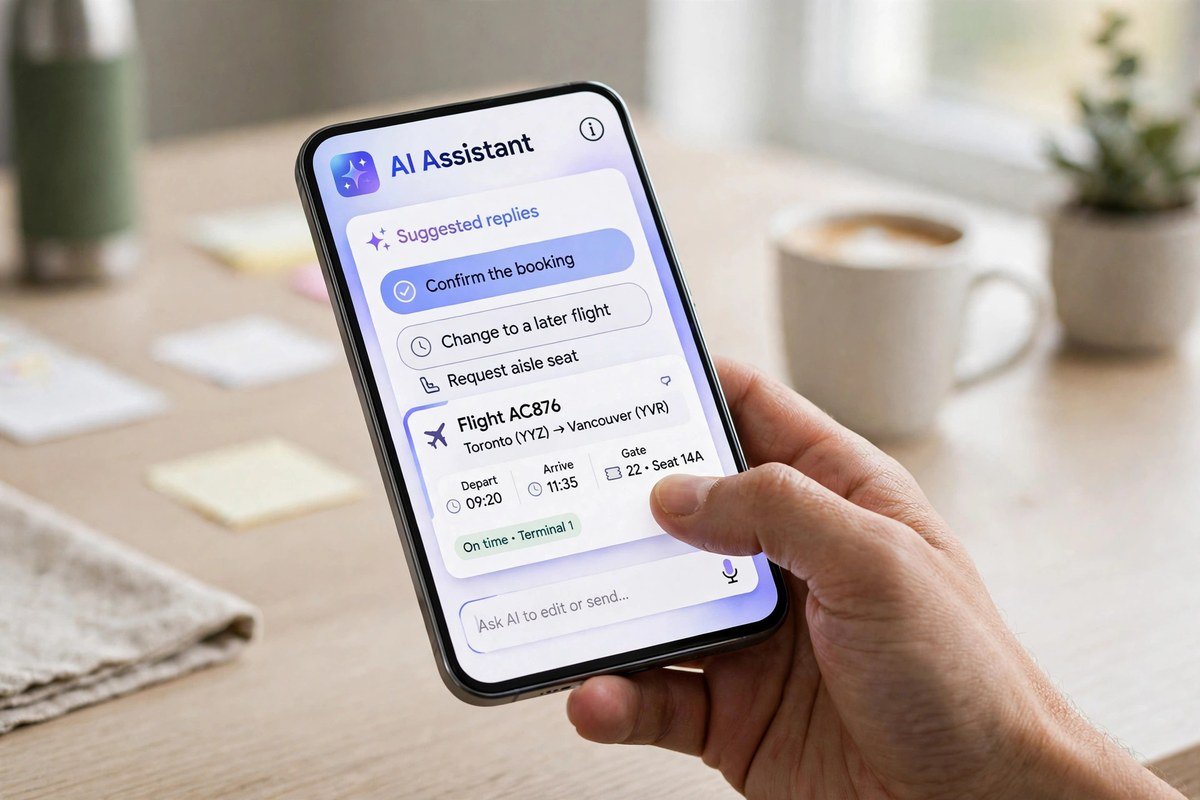
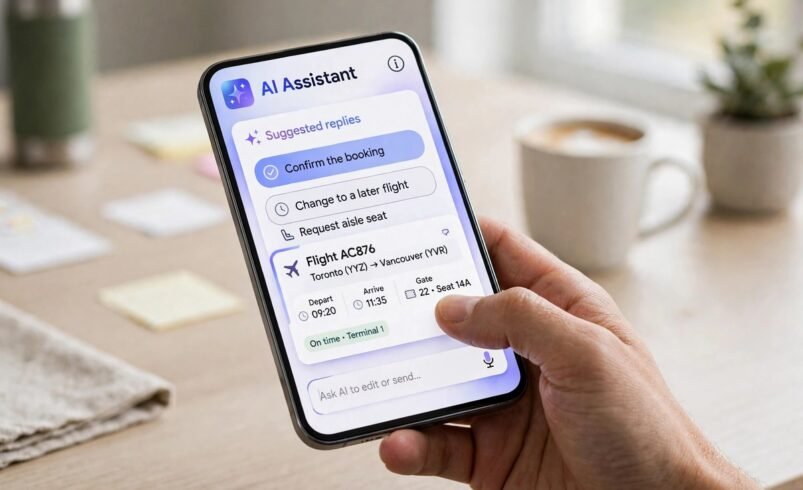
Magic Cue is Google’s answer to the most boring problem in phone life: digging through your own apps for a detail you need right now. It launched with the Pixel 10 family, powered by the Tensor G5 chip and the on-device Gemini Nano model. You call an airline, and your flight confirmation number appears on the call screen without you opening Gmail. A friend texts to ask what time your flight lands, and the answer pops up inside Messages so you can send it with one tap. Magic Cue can also suggest the right photo from Google Photos when someone asks for one.
The important detail is where the work happens. Magic Cue processes its suggestions on the phone itself, using Gemini Nano, so your emails and messages are not sent to a server to make the suggestion. It only works on the Pixel 10 family, and Google says it needs about 24 hours after setup before suggestions start appearing. The November 2026 Pixel Drop also brought newer Pixel 11 AI features to the Pixel 10 series.
Live Translate is the feature that sounds like science fiction and now works on an ordinary call. On a Samsung Galaxy phone, you turn it on in Settings under Galaxy AI and then Call Assist. During a call, each person speaks their own language and hears the other translated in near real time, with the translated text shown on screen as well. It works in the Samsung phone dialler and in some third-party apps, including WhatsApp, Messenger and Telegram. As of July 2026, Samsung supports 22 languages for Call Assist, including English, Spanish, French, German, Hindi, Japanese and Arabic.
Google’s Pixel phones offer the same idea with a twist: Voice Translate can mimic the sound of the caller’s voice while translating, so the conversation feels less robotic. Apple’s version is Interpreter mode, which translates face-to-face conversations. If you want to go deeper on language tools, our guide to the best AI tools for learning a language covers the apps that pair well with these built-in features. One limit: idioms still trip it up, so do not rely on it for a medical or legal call.
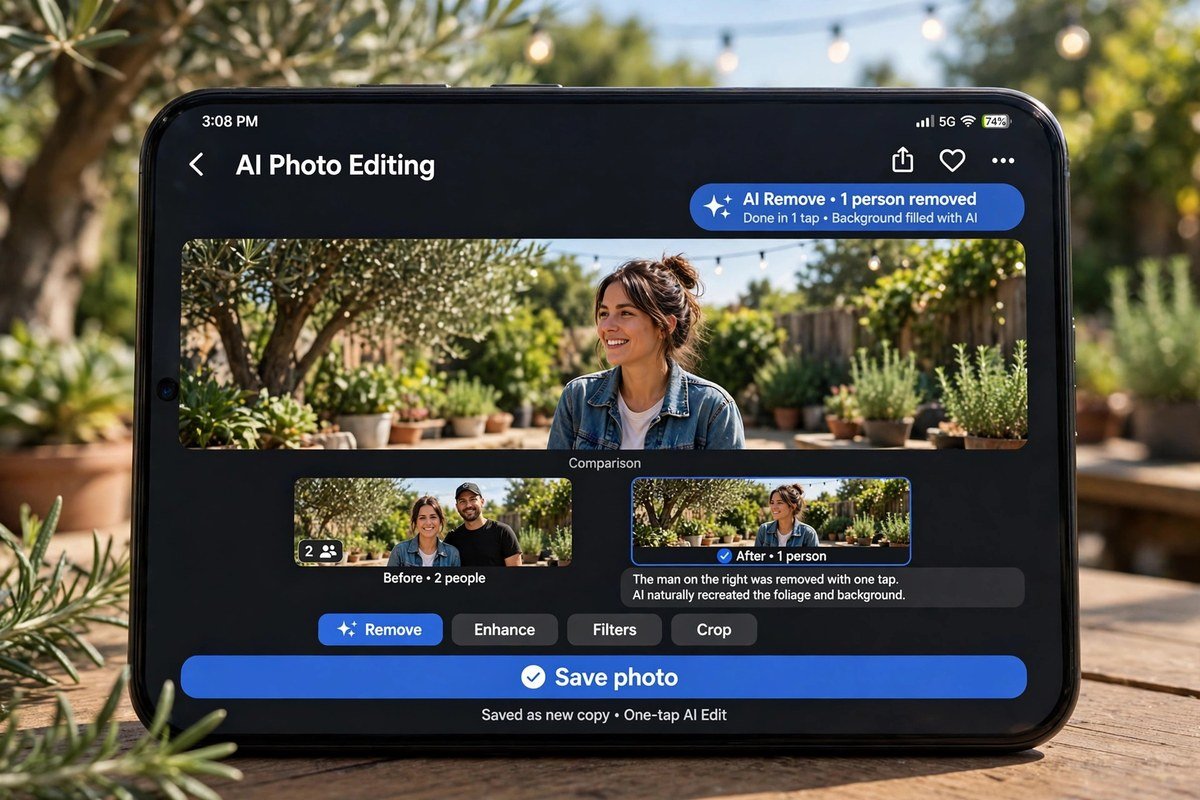
Yes, and this is the AI feature most people have already used without realising it. Every major phone now has a version of it, and they all do roughly the same three things. First, they remove unwanted objects: Google’s Magic Editor, Apple’s Clean Up and Samsung’s Photo Assist all let you tap a stranger, a bin or a photobomber and erase them, with the background filled in automatically. Second, they reframe: Apple’s iOS 27 adds Spatial Reframing, and Samsung’s Photo Assist on newer Galaxy phones can take a plain-language request, such as turning a daytime scene into night. Third, computational photography cleans up low-light and zoomed shots before you see them.
The differences are in the details. Magic Editor on Pixel is the most flexible for big edits, Clean Up on iPhone is the simplest because it sits inside the Photos app with no learning curve, and Photo Assist on Galaxy is the strongest for creative edits. Heavier edits run partly in the cloud, so a complex removal can take a few seconds. Our AI automation tools for freelancers guide shows how creators use these same editing tools to produce client work from a phone.

Circle to Search is the simplest AI feature to explain and one of the most used. On a Samsung Galaxy or Pixel phone, you long-press the home bar or navigation handle, then circle, highlight or tap anything on your screen: a pair of shoes in a video, a plant in a photo, a word in an article. Google searches for it instantly, without you taking a screenshot or switching apps. It was built by Google and Samsung together, and it now appears on Galaxy phones from the S24 series onward and across Pixel phones.
Why it matters is not the search itself but what it replaces. Before this, identifying something on screen meant a screenshot, an app switch, an upload and a wait. Now it is one gesture. It also works on text, so circling a phrase in a foreign language gives you a translation and a definition in the same step. The catch is that it needs an internet connection, because the search runs in Google’s cloud. If you are offline, it does nothing, a reminder that not every phone AI feature is truly on-device.
Writing Tools are now built into the keyboard layer of all three major phone systems, and they quietly change how much typing you actually do. On iPhone, Apple Intelligence Writing Tools proofread your text, rewrite it in a different tone and summarise a long selection with one tap, and they work in any app where you can type. On Galaxy, Writing Assist does the same job and, as of July 2026, supports 41 languages. On Pixel, Gemini sits in the keyboard and across apps for drafting and rewriting, and it can summarise a long email thread.
The real change is not the rewriting but the summarising. Notification summaries on iPhone condense a pile of messages into two lines. Samsung’s Note Assist and Transcript Assist turn a recorded meeting into written text and then into a summary. Pixel’s Recorder app transcribes and summarises in the same way. For heavy readers, this saves the most time each day, yet most people never turn it on. To understand the models behind these tools, read our explanation of what AI reasoning models are and how they handle longer, more complex text.
Now Brief is Samsung’s most personal AI feature, and it is the one that most divides opinion. It appears on the Galaxy S25 series and newer phones, and it builds a personalised briefing that runs through your day: weather in the morning, your energy score and sleep summary, calendar events, reminders and a recap in the evening. You can customise it with prompts, and action buttons let you request a ride to a calendar plan or apply a suggested photo edit. As of July 2026 it supports 13 languages.
Its companion, Now Nudge, is the newer and more interesting half. It reads what is on your screen and suggests the next step, such as opening Calendar while you are making plans with a friend over text, and it can recall information buried deep in your phone. The trade-off is real: these features learn from your routines, messages and location, so they need access to a lot of personal data to be useful. Samsung keeps much of the processing on the phone, but some goes through its servers and Google’s cloud. Both features can be turned off in Settings if that bothers you.
This is the least glamorous AI feature on your phone and possibly the most useful. On Pixel, Call Screen answers unknown numbers for you, asks the caller what they want, and shows you a live transcript so you can decide whether to pick up. Call Notes records the call and produces a summary with suggested calendar events afterwards. Google also says its scam detection checks calls in real time on the phone itself. Samsung’s Call Screening does a similar job, filtering unknown numbers and showing a short text preview of why they are calling, and it supports 13 languages.
The reason this matters now is that scam calls have got better at the same time as the defences have. AI-generated voices can clone a familiar voice from a few seconds of audio, which is why a phone that screens the call before you answer is worth more than one that just shows a warning afterwards. Turn it on even if you rarely get spam calls: the first time it catches a convincing scam, it pays for itself, and it costs nothing extra.
Voice assistants are finally becoming what they promised a decade ago. Apple rebuilt Siri from the ground up as Siri AI, released as a beta in September 2026 with iOS 27. It understands personal context, so it can find the exact photo someone texted you about or dig up a flight confirmation from your email while you are on the phone with an airline, and it can see what is on your screen. It needs an iPhone 15 Pro or newer, and Apple has said it is not available on iPhone in the EU. ChatGPT remains an optional extension. See Apple’s own Apple Intelligence page for the official privacy design.
On Android, the change is even bigger. Google said in March 2025 that it was moving phones from the old Google Assistant to Gemini, and in August 2026 it told users it would begin removing access to Google Assistant from 4 September 2026, with no way back. Gemini is now the default assistant on Pixel and recent Galaxy phones, it holds natural conversations through Gemini Live and can reach into Gmail and Calendar when connected. Samsung’s Bixby has also been rebuilt with memory. Our ChatGPT vs Claude vs Gemini comparison breaks down where Gemini is strongest for everyday use. In short: Siri is still catching up, Gemini is the most capable, and Galaxy AI has the widest toolset.

This is the question underneath all eight features above, and the answer depends on which phone you own. Google’s Gemini Nano is a small model that runs entirely on the phone, so features such as Magic Cue, summarisation and smart replies work offline and your data never leaves the device. Apple’s approach is similar: much of Apple Intelligence runs on the iPhone’s own Neural Engine, and anything too heavy for the phone goes to Private Cloud Compute, which Apple says never stores your data and can be inspected by outside researchers. Samsung sits in the middle: most translation runs on-device, but the Gemini assistant runs on Google’s servers.
The practical rule is simple. If a feature works in aeroplane mode, it is on-device and your data stays put. If it needs the internet, some of your data is going to a server, and you should check what that server keeps. None of the three charges extra for its basic AI features: Galaxy AI’s basic features are free on supported Samsung phones, Apple Intelligence is included with the phone, and Gemini’s core features are free on Pixel. Paid extras are optional upgrades such as Gemini Advanced, not the everyday tools here.
Pick the phone for its camera, battery, ecosystem and update policy first, then let the AI features break the tie. Pixel is the pick if you want Google’s newest AI first: Magic Cue, Call Screen and Call Notes are still exclusive to Pixel, and the Pixel 10 gets seven years of OS upgrades, security patches and Feature Drops, taking support to 2032. iPhone is the pick if privacy is your top concern and you are already in Apple’s ecosystem, with the iPhone 17 series carrying the full Apple Intelligence set. Galaxy is the pick if you want the widest toolset and the strongest translation features, with Galaxy AI supported from the S24 series onward and Now Brief and Now Nudge on the S25 and S26 ranges.
One warning before you upgrade for AI alone. Most of these features arrive on older phones through software updates, not just new hardware, so check whether your current phone already supports them. A Galaxy S24 got Galaxy AI by update, and the Pixel 10 gained Pixel 11 features through the November 2026 Pixel Drop.
How AI is changing smartphones is not a future event. It is already in your pocket, in nine features you probably use every week: a phone that surfaces the right detail before you ask, translates a call as it happens, cleans up a photo, searches your screen with a circle, summarises your messages, plans your day, screens your calls, talks back like a real assistant, and does most of it without sending your data to a server. The differences between Apple, Samsung and Google are real, but they are differences of emphasis: Apple leads on privacy, Gemini leads on capability, and Galaxy AI leads on breadth. Check which of these nine your phone already has: you may already own the AI phone you were thinking of buying.
The biggest change is that phones now act on context instead of waiting for commands. Magic Cue surfaces a flight number during a call, Now Brief plans your day from your calendar and sleep data, and Call Screen answers unknown numbers for you. The phone is shifting from apps you open into an assistant that anticipates what you need.
No, not for the everyday features in this article. Galaxy AI’s basic features are free on supported Samsung phones, Apple Intelligence is included with the phone, and Gemini’s core features are free on Pixel. The paid extras are optional upgrades such as Gemini Advanced or extra cloud storage, not the tools covered here.
Apple Intelligence needs an iPhone 15 Pro or newer for the full set, including Siri AI. Galaxy AI is supported on Samsung phones from the S24 series onward. Gemini and Magic Cue are on the Pixel 10 family, with Gemini also available across recent Android phones. Older phones get some features through software updates, so check your model before upgrading.
Some of it does. Features powered by on-device models, such as Magic Cue on Pixel, Apple Intelligence writing tools and most Samsung translation, work without the internet. Features that need the cloud, such as Circle to Search and complex photo edits, need a connection. If a feature works in aeroplane mode, it is running on-device.
Probably not. Most AI features arrive through software updates: Galaxy AI came to the S24 series by update, and the Pixel 10 gained Pixel 11 AI features through the November 2026 Pixel Drop. If your phone is one or two years old and on the manufacturer’s support list, update it first and check what appears before spending money on a new handset.