How Teachers Are Using AI in Classrooms in 2026
- October 26, 2026
- 0
How Teachers Are Using AI in Classrooms in 2026 If you want to understand how teachers are using AI in classrooms 2026, start with a simple truth: most

How Teachers Are Using AI in Classrooms in 2026 If you want to understand how teachers are using AI in classrooms 2026, start with a simple truth: most
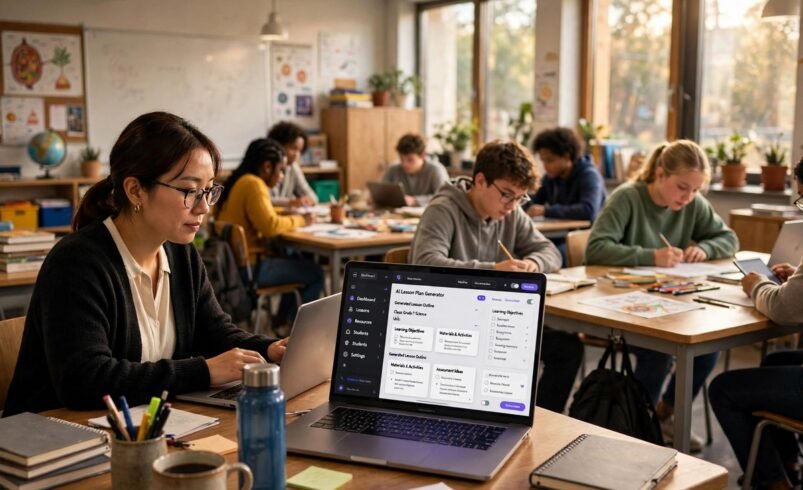
If you want to understand how teachers are using AI in classrooms 2026, start with a simple truth: most teachers are not using AI to replace teaching. They are using it to clear the work that gets in the way of teaching. Lesson drafts, marking comments, differentiated worksheets and parent emails all take hours that could go to pupils. In 2026, AI handles the first draft of those jobs, and the teacher stays in charge of the final version.
This guide looks at what that means in practice: lesson planning, marking and feedback, differentiation, admin time, and the integrity and safeguarding questions every school has to answer, ending with a sample week showing how the pieces fit together.

Lesson planning is where most teachers first meet classroom AI. A teacher can ask an AI assistant for a 45 minute lesson outline on a set topic, with objectives, a starter activity, worked examples and a short plenary, then edit the draft to fit their class and scheme of work.
The teachers who get the most from this give the AI something to work from: their own objectives, the textbook chapter or last week’s outcomes. The result is closer to usable, and the checking time drops sharply. General purpose assistants such as the ones in our ChatGPT vs Claude vs Gemini comparison are the usual starting point, while education specific tools such as MagicSchool AI and Brisk Teaching offer templates built around classroom tasks.
One warning applies to every AI lesson draft: check the facts. AI tools can invent dates, quotations and scientific details with total confidence. Treat every draft as a pupil’s first attempt, good raw material that still needs a teacher’s eye.
Marking is the second big use, and it works best when AI drafts feedback rather than deciding grades. A common workflow is to feed the AI the mark scheme and a piece of pupil work, then ask for three strengths and two next steps in plain language. The teacher reads the draft, corrects anything it missed, and sends feedback that still sounds like them.
This matters because feedback is where pupils learn what to do next, and generic praise teaches nothing. AI is good at spotting patterns across a set: if half the class missed the same step in a maths method, it can flag that in seconds, and the teacher can reteach that step the next morning. What AI should not do is assign final grades on open ended writing on its own, since automated scoring rewards fluent, formulaic writing and can miss original thinking.
For spoken feedback, a teacher who records verbal comments can turn them into written notes with transcription tools, as our guide to the best AI transcription tools for meetings shows.

Differentiation used to be the most time hungry part of planning. Writing the same science text at three reading levels, or preparing extra challenge questions for fast finishers, could take an evening. In 2026, teachers ask AI to relevel a text: same facts, simpler vocabulary for one group, richer vocabulary and an extension question for another.
Tools such as Diffit are built for exactly this job. Every pupil works on the same topic and the same learning objective, but the reading load matches their level. Multilingual learners benefit too: a pupil can read a simplified version first, then tackle the full version with key terms already understood. The check that matters is meaning: a simplified text must keep the facts intact, and a stretched version must not add content the class has not covered.
Many teachers say AI changed admin most, not lessons: emails, reports and forms. Drafting a parent email about a trip, turning bullet points into a term report comment, or summarising a meeting into action points are all jobs AI does well, because the teacher supplies the facts and the AI supplies the sentences.
The time saved here is real. The Gallup-Walton Family Foundation’s Teaching for Tomorrow report, as summarised by EssayPro, found that teachers who use AI weekly save an average of 5.9 hours per week, with most of that time coming back from lesson planning, worksheet creation and administrative tasks rather than from grading or one to one instruction. The honest shape of the benefit: AI gives teachers hours back on preparation and paperwork, and the best teachers spend those hours on small group teaching, richer feedback and relationships with pupils.
One rule keeps admin use safe: never paste pupil names, grades or personal details into a public AI tool. Use your school’s approved platform for anything that identifies a child.
Every benefit above comes with a question schools cannot dodge: what happens when pupils use the same tools? Pupils already use AI for homework, and banning it outright rarely works. The classrooms coping best treat AI literacy as a taught skill, showing pupils when AI use is acceptable (brainstorming, checking a draft, explaining a concept) and when it is not (submitting AI written work as their own).
Practical policies work better than vague bans. For example, pupils may use AI to critique a draft they wrote themselves, but not to produce the first draft, and AI use must be declared, with the prompt and output kept alongside the final work. When the rules are explicit, teachers report fewer integrity disputes, because pupils know where the line sits.
Safeguarding runs alongside integrity. Schools should agree which tools are approved, what data may be entered, and what age limits apply, and teachers should check that any tool used with pupils meets their school’s data protection policy. Free consumer tools are not automatically suitable for classroom use with children, even when they are useful for a teacher’s own planning. When in doubt, ask your school’s designated safeguarding lead before introducing a new tool to pupils.
Model choice matters here too. Smaller models that can run on a school device or inside an approved platform can reduce data exposure compared with sending everything to a large cloud service. Our guide to small vs large language models explains the trade off in plain terms.

Here is how the pieces fit together for a secondary English teacher across one week:
| Day | AI task | Teacher’s check |
|---|---|---|
| Monday | Draft the week’s lesson outlines from the scheme of work | Edit objectives and examples to fit the class |
| Tuesday | Relevel a reading passage into two versions | Check facts and vocabulary against the original |
| Wednesday | Draft feedback comments from the mark scheme | Rewrite anything generic; final grades stay manual |
| Thursday | Generate a quiz and an extension task | Verify every answer before the lesson |
| Friday | Draft parent emails and next week’s report comments | Remove any pupil data before sending anything externally |
Notice the pattern: AI drafts, the teacher decides. Nothing in the week hands a teaching judgement to a machine, and every output passes through a human check.
The same pattern applies in other subjects. A computing teacher can use AI to generate starter code exercises and check them before the lesson, as our guide to the best AI coding assistant for beginners shows.
Pick one job, not five. Lesson planning is the easiest first win for most teachers. Use one tool for four weeks, keep notes on what it saved and what it got wrong, and only then add a second job such as feedback drafting.
Second, agree the rules with your department before pupils meet the tools. A short shared policy, one page, beats a long document nobody reads. It should cover which tools are approved, what pupil data may be entered, how AI use is declared in pupil work, and who to ask when something looks wrong.
How teachers are using AI in classrooms 2026 comes down to a division of labour. AI drafts lessons, feedback, differentiated materials and admin; teachers check, correct and decide. Done that way, it returns hours to the work only a teacher can do: knowing pupils, spotting the misunderstanding, and building the relationship that makes learning happen. The schools getting this right are not the ones with the most tools. They are the ones with the clearest rules and the most careful checking. Start with one job, check everything, and let the saved hours go where they matter most: your pupils.
Most commonly for lesson planning, drafting feedback, creating differentiated materials at several reading levels, and cutting admin such as parent emails and report comments. AI drafts the work and the teacher checks and finalises it.
No. AI handles drafting and routine preparation well, but it cannot motivate pupils, manage a classroom, or make professional judgements about learning. The realistic 2026 picture is AI as a force multiplier for teachers, not a substitute for them.
Not into public chatbots. Never enter pupil names, grades or personal details into a general purpose AI tool. Use only your school’s approved platforms for anything identifying a child, and follow your school’s data protection policy.
Set explicit rules rather than vague bans. A workable policy lets pupils use AI to brainstorm or critique their own draft, requires AI use to be declared, and keeps final submitted work as the pupil’s own. Teaching AI literacy directly reduces integrity disputes.
Start with one general purpose assistant for lesson planning, or an education specific tool such as MagicSchool AI or Diffit if your school already approves one. Use it for one job for four weeks before adding anything else, and check every output before it reaches pupils.